
What Is an API?
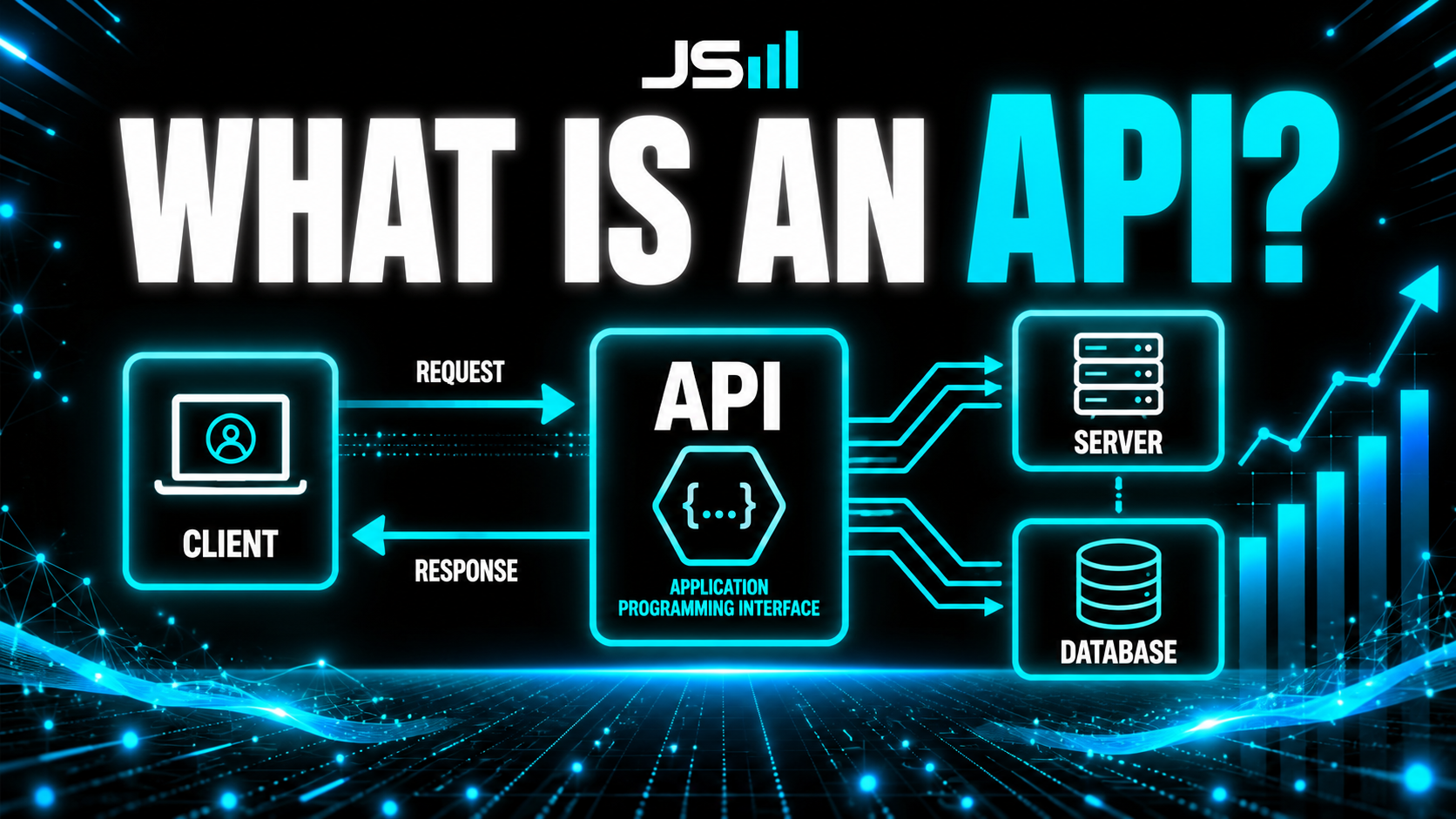
The big one in the series. After the .env file and the API key, here's the API itself. Think of it as a waiter: you place an order, it carries it to the kitchen and brings the result back. We go deep with a diagram for everything, endpoints (and why a good API exposes what's safe but never the dangerous stuff, like the API-key endpoint my AI agent tried to build), every request type (GET, POST, PUT, PATCH, DELETE, HEAD), the parts of a request (headers, common ones like content-type and x-api-key, query parameters, body), all the status code families (2xx, 3xx, 4xx, 5xx), plus the three things that actually bite people building against an API: pagination, rate limiting, and retries with exponential backoff. And the reason it all matters in 2026: AI agents can't click your buttons. The only way they can use your software is through your API, which makes your documentation the map they read.
We've done the .env file and the API key. Both of those kept leaning on one word, so let's finally give it the full treatment: the API. This is the big one in the series, so I'll go deep, but I'll keep it human the whole way.
The waiter analogy
API stands for Application Programming Interface, but forget the acronym. Picture a restaurant. You (one program) sit at the table. The kitchen (another program) has all the food and does all the cooking, but you never walk back there yourself. Instead, a waiter takes your order, carries it to the kitchen, and brings your food back.
That waiter is the API. It's the messenger that lets two pieces of software talk without either one needing to know how the other works inside. You just need to know how to order. In real software: a client (your app) sends a request through the API to a server, and the server sends a response back.
Endpoints: the specific things you can ask for
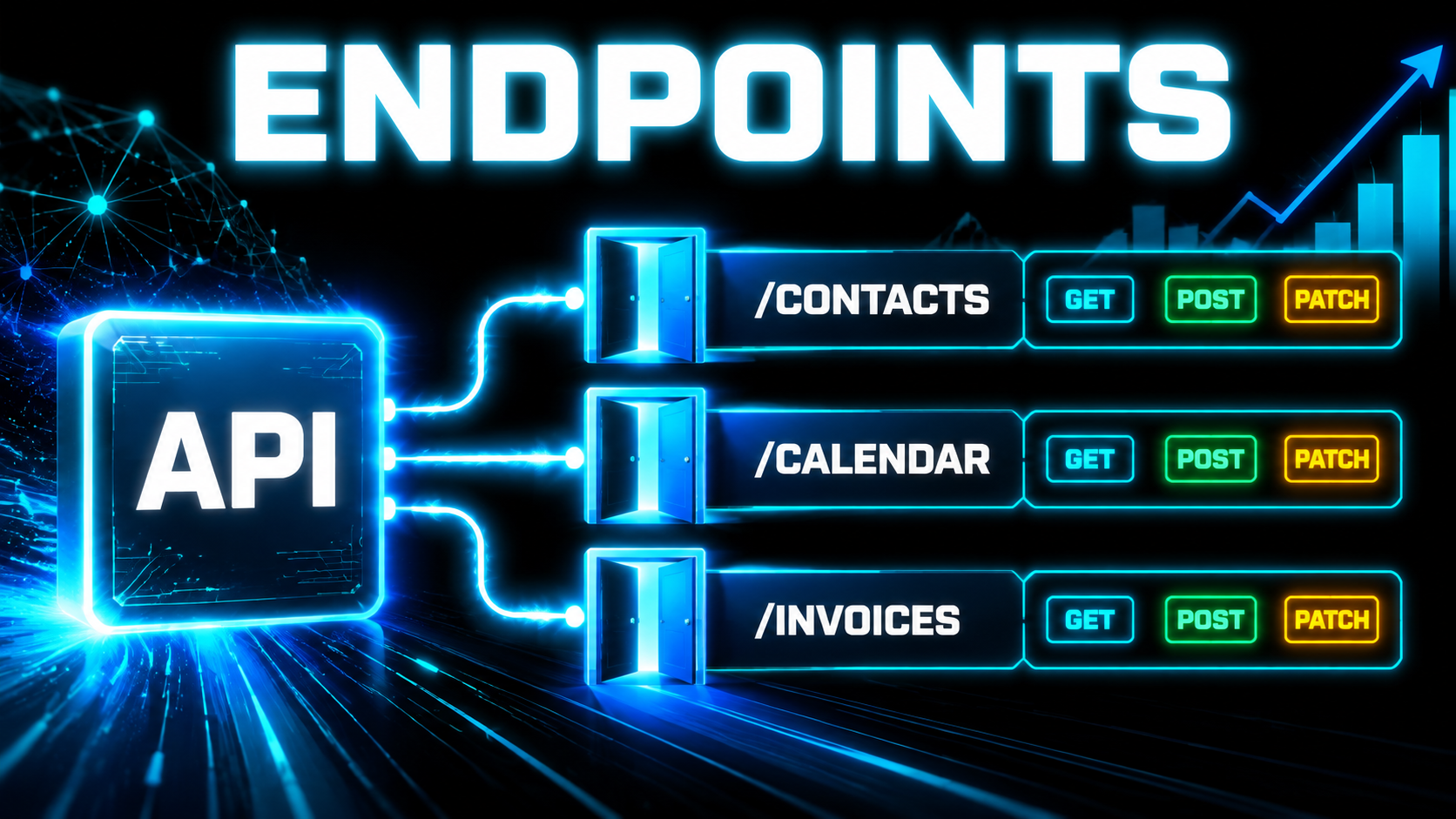
An API isn't one single opening, it's a set of specific doors, and each door is called an endpoint. Think of it as one section of the menu.
In our system, for example, there's a /contacts endpoint. You can GET it to pull contacts, POST to it to create one, and PATCH it to update one. There's a separate /calendar endpoint for creating and managing appointments. Another for invoices. Each endpoint owns one kind of thing, and the request methods (coming up next) are the verbs you use on it. And yes, ours has a lot of endpoints, because you know me, I love my API.
Good API design: expose what's safe, lock what isn't
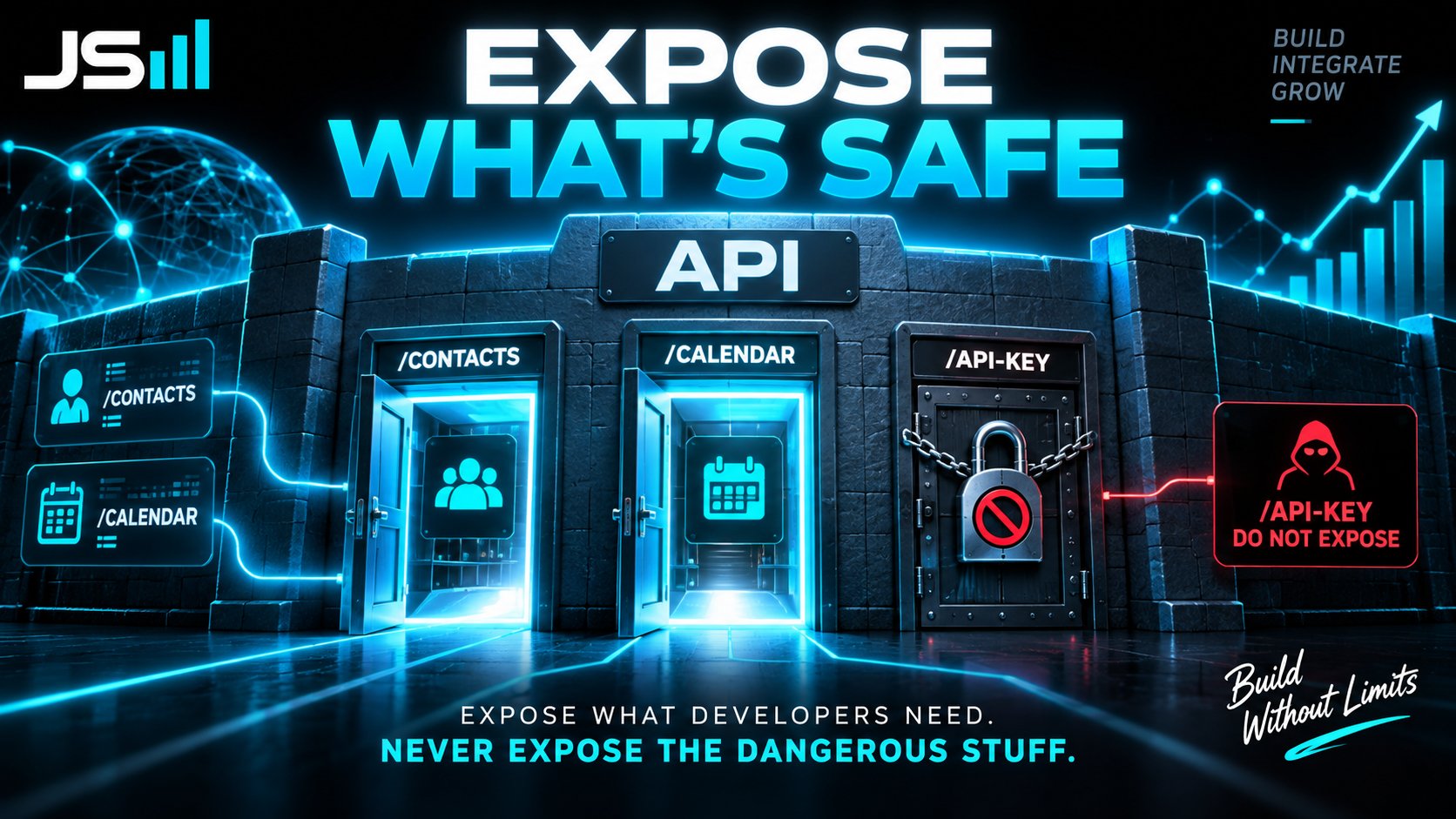
Here's where design judgment matters enormously. A good API exposes every endpoint a developer legitimately needs to build things and make the program work. It does not expose endpoints that are dangerous.
Funny story on that. When I first built ours out, my AI coding agent decided it would be a brilliant idea to create an endpoint that hands out API keys. Think about that for a second: an open door whose entire job is to give out the keys to the building. That is a massive security no-no. If I hadn't caught it, it would have shipped.
Which is exactly why I keep planting my flag on this: you do not take the human out of the loop. The AI is fast and it is genuinely useful, but it does not have judgment, and judgment is the whole job. (I wrote a whole piece on that, Judgment Is the Real Moat Now.) Good API design is deciding, deliberately, what the outside world is allowed to touch.
The types of orders you can place (request methods)
Now, the verbs. When you talk to an endpoint, you're placing a specific kind of request. There are a handful of standard ones, and once you know them, most of an API's behavior makes sense.
GET: fetch data
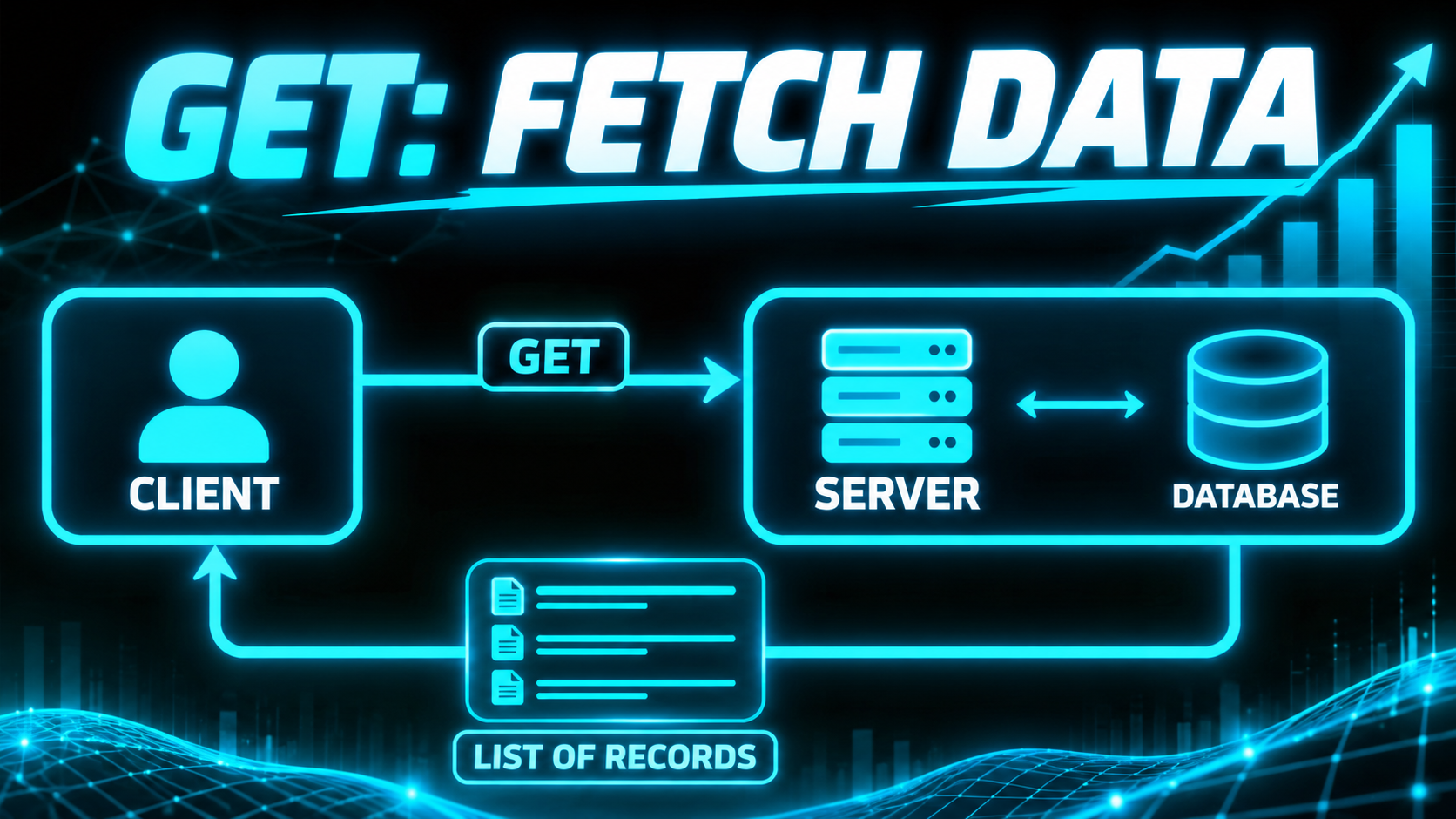
GET is how you fetch something. "Bring me this customer's info," or "give me the list of all my contacts." It's read-only, so it never changes anything on the other end. It's the safest request there is.
POST: create
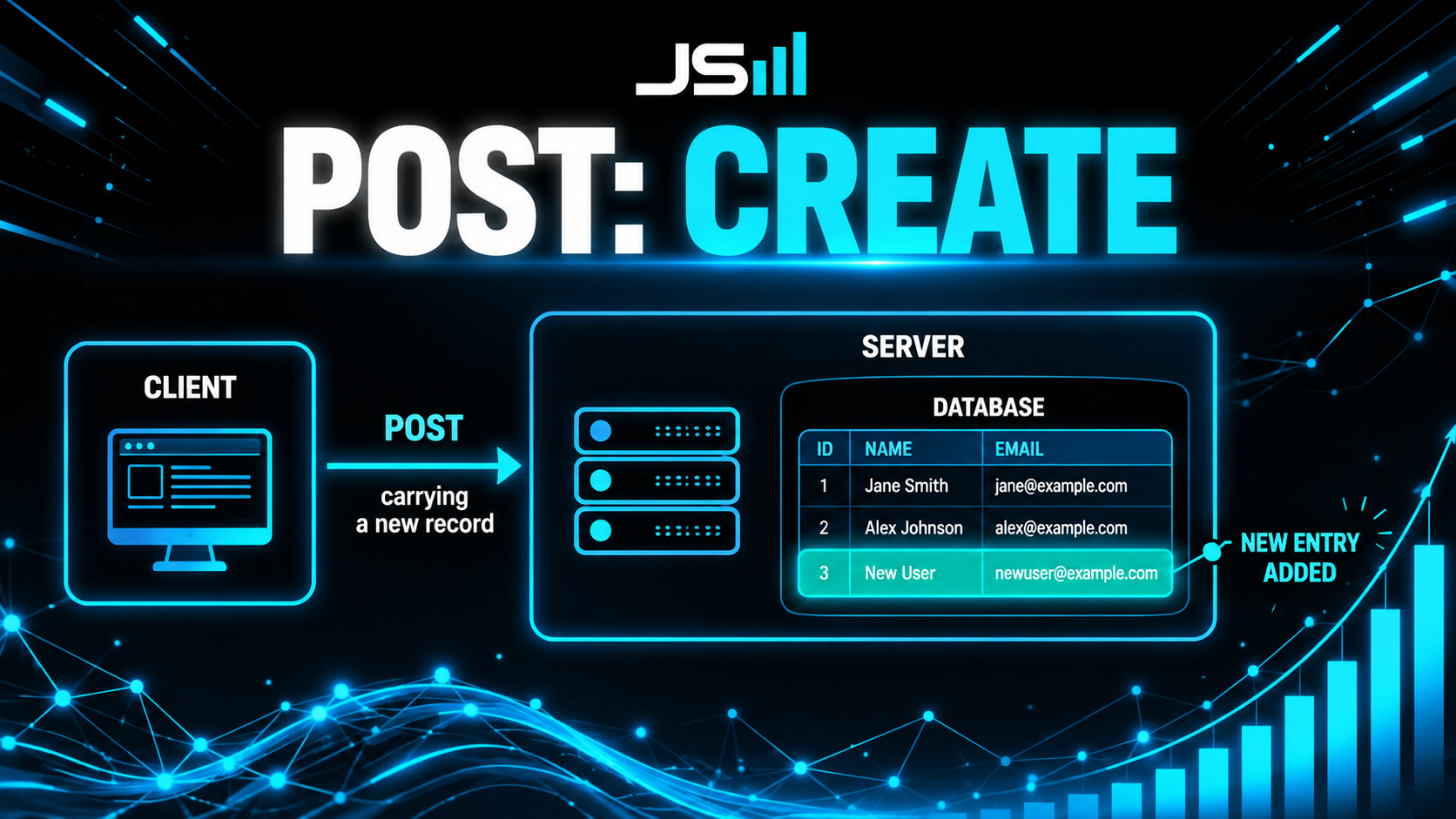
POST creates something new. You send the data for a new contact, and the server adds it. This is the request that puts something into the system that wasn't there before.
PUT: replace
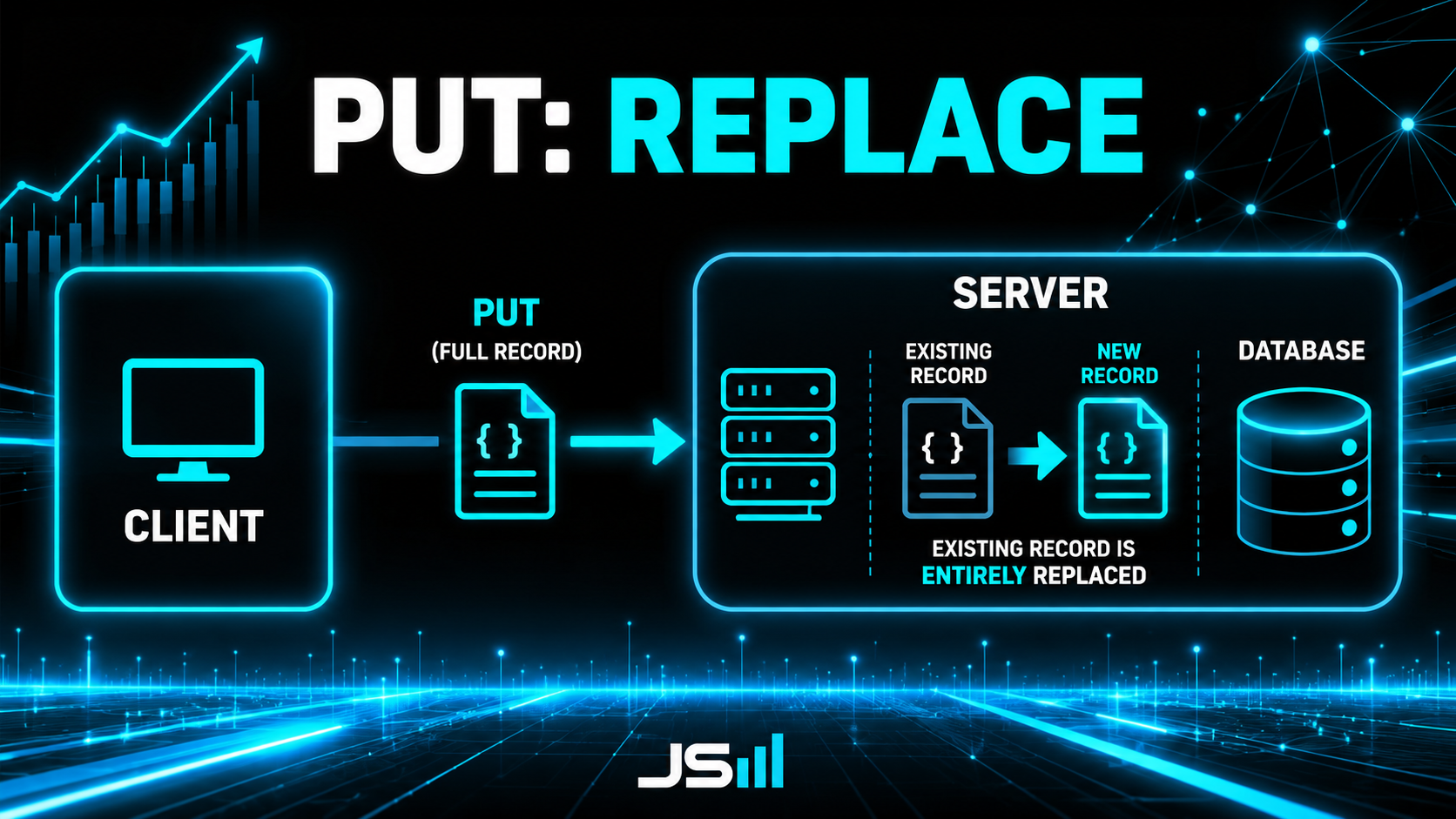
PUT replaces something entirely. You hand over the full, updated version of a record and it swaps the old one out completely. Whatever you send is what it becomes.
PATCH: update part
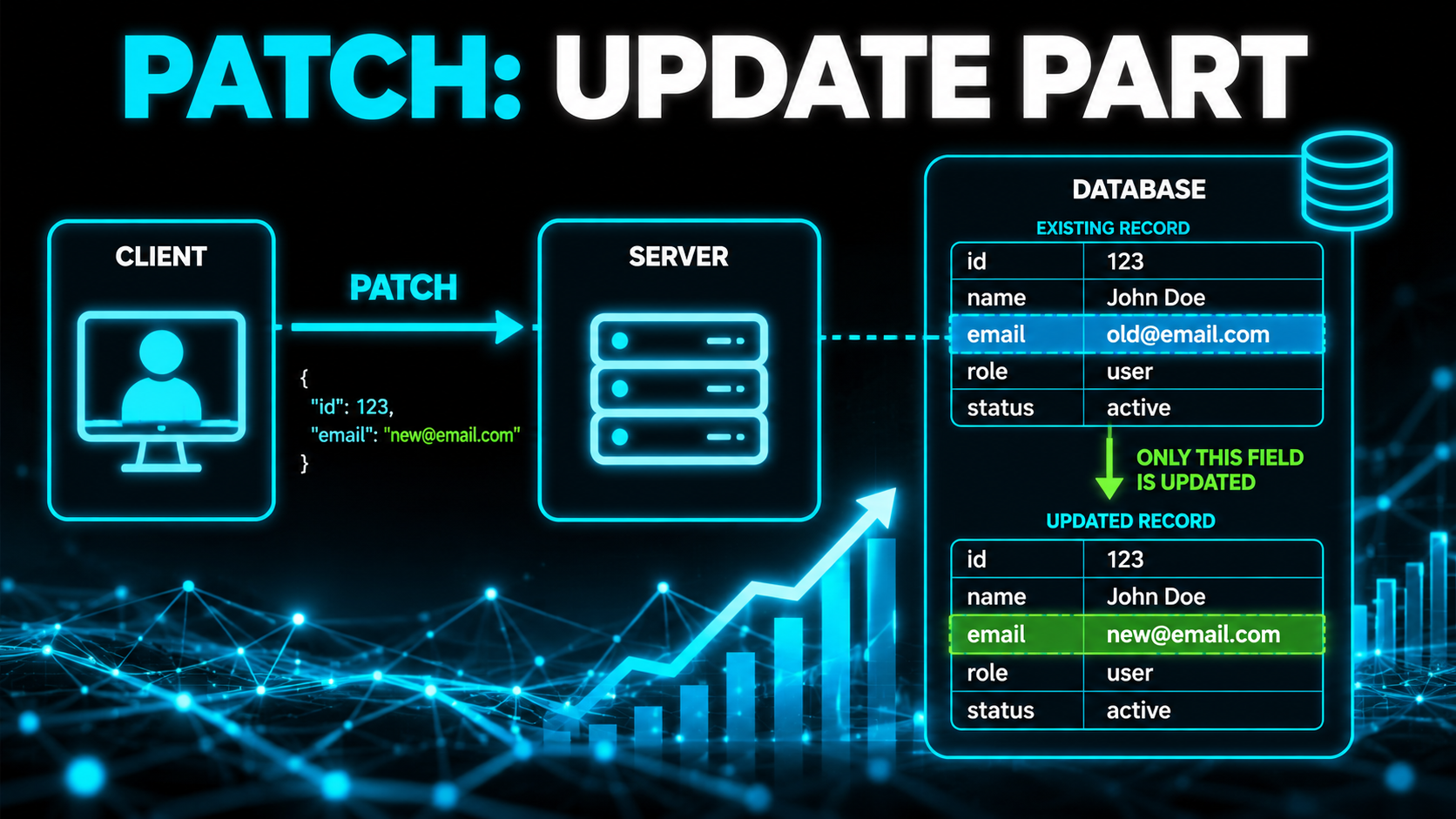
PATCH updates just part of something. "Only change this one phone number, leave everything else as it is." It's the surgical version of PUT.
DELETE: remove
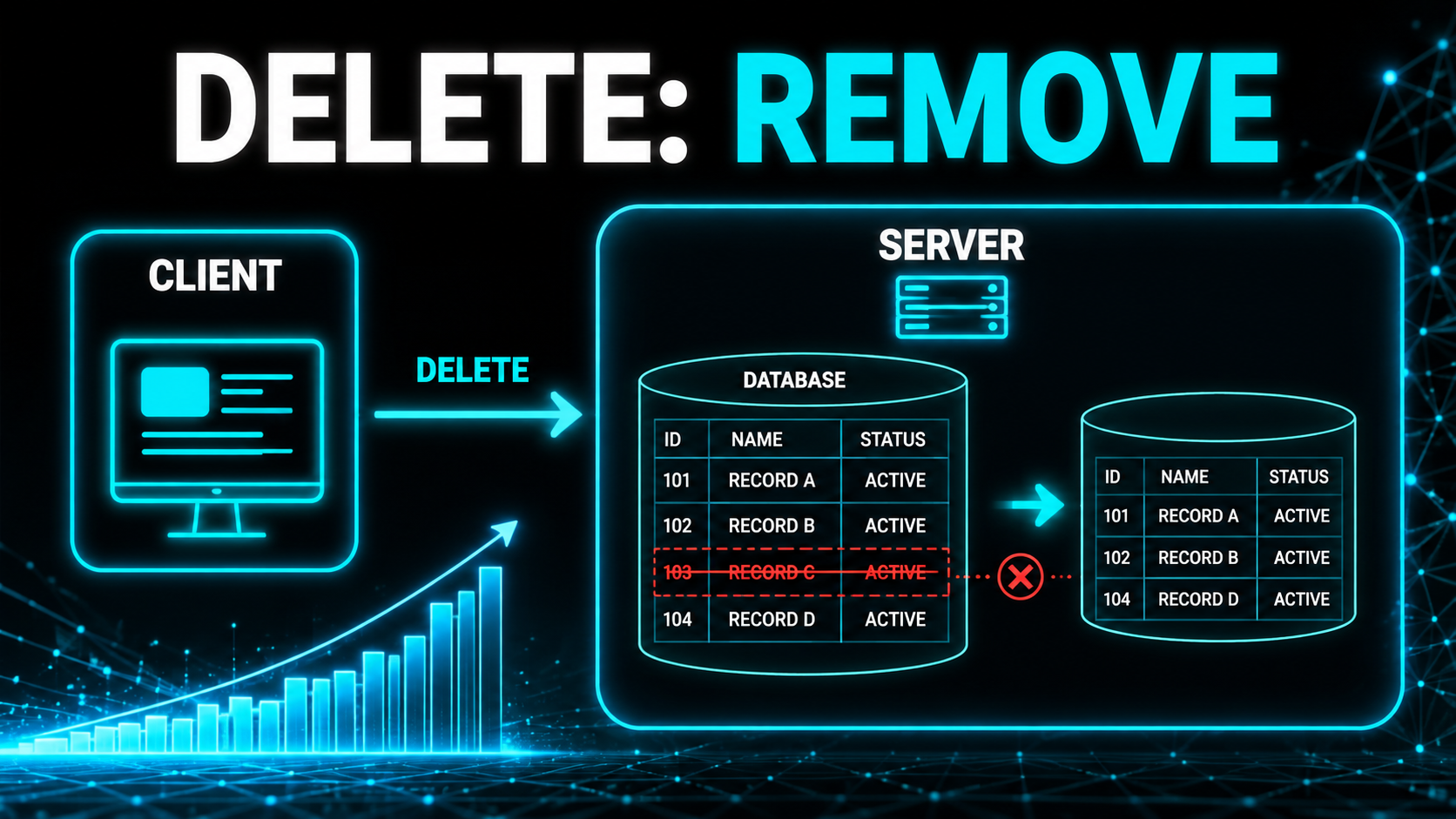
DELETE removes something. Exactly what it sounds like, and yes, it's as permanent as it sounds, so handle with care.
HEAD: peek only
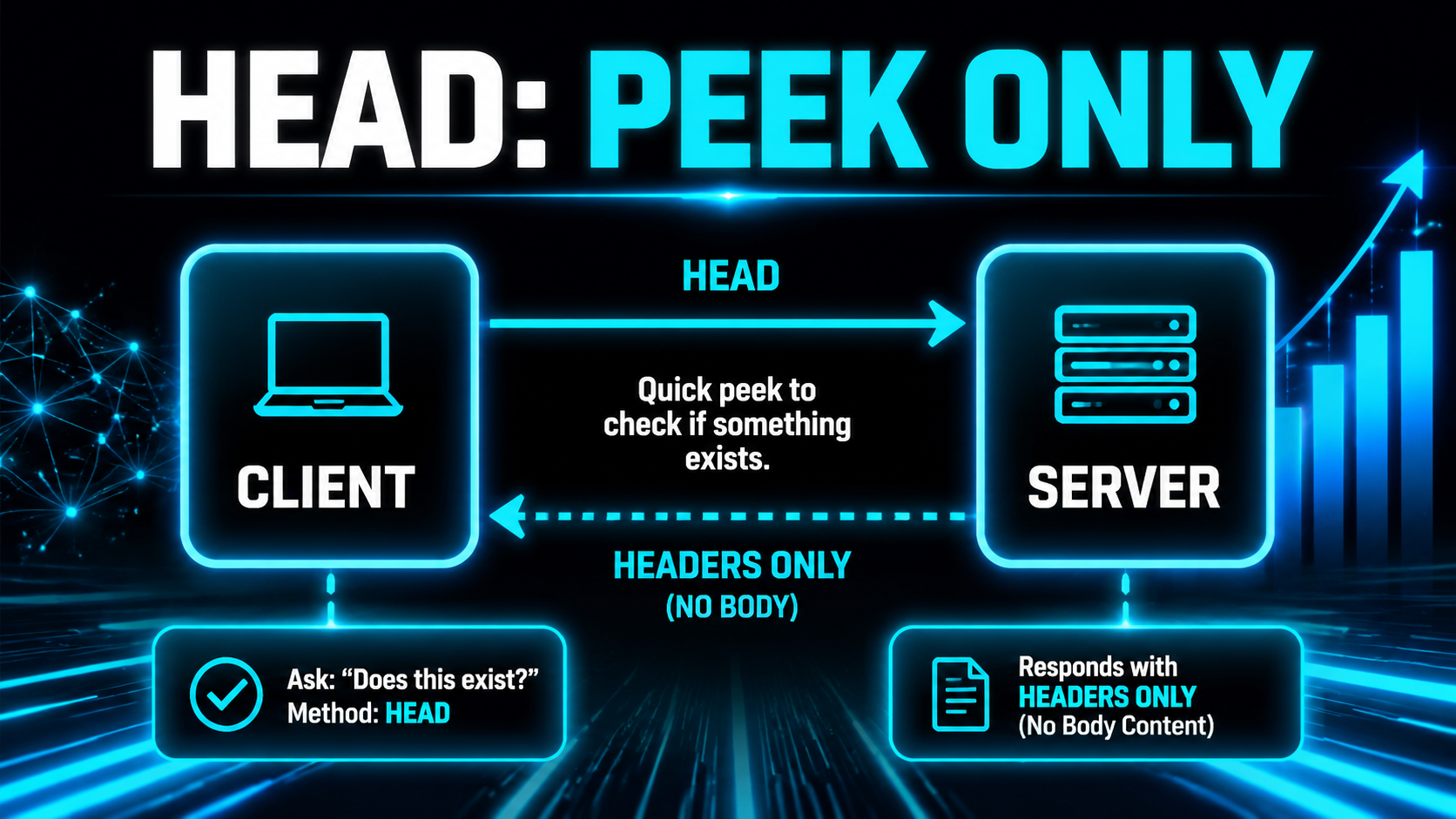
HEAD is like GET, but it only asks for the headers, not the actual content. It's a quick "does this exist / has it changed?" peek without downloading the whole thing.
What's inside a request
Every request is a little package you're shipping. Here are its parts.
Headers

Headers are the shipping label. They carry the "about this request" info, the meta-details, and importantly, your credentials. This is where your API key usually rides along.
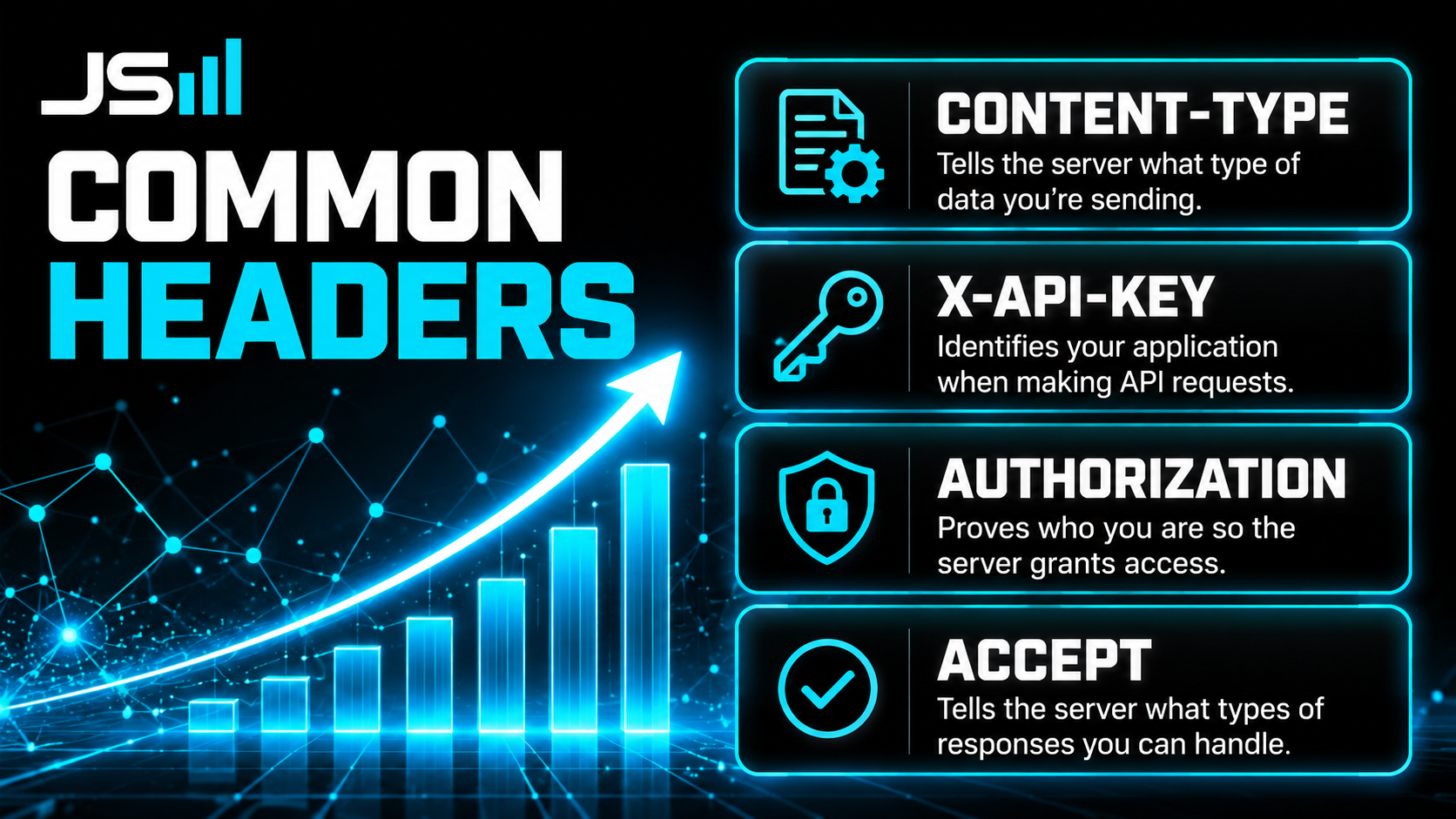
The common ones you'll see constantly:
- Content-Type - tells the server what format you're sending. Usually application/json, meaning "the data in my body is JSON."
- x-api-key - a very common way to pass your API key. It's the pattern I use in our system. Your app flashing its backstage pass on the way in.
- Authorization - the other common credential header, often carrying a token instead of a plain key.
- Accept - tells the server what format you'd like the response back in.
Every API is a little different about which it expects, which is why you read the docs (more on those later).
Query parameters
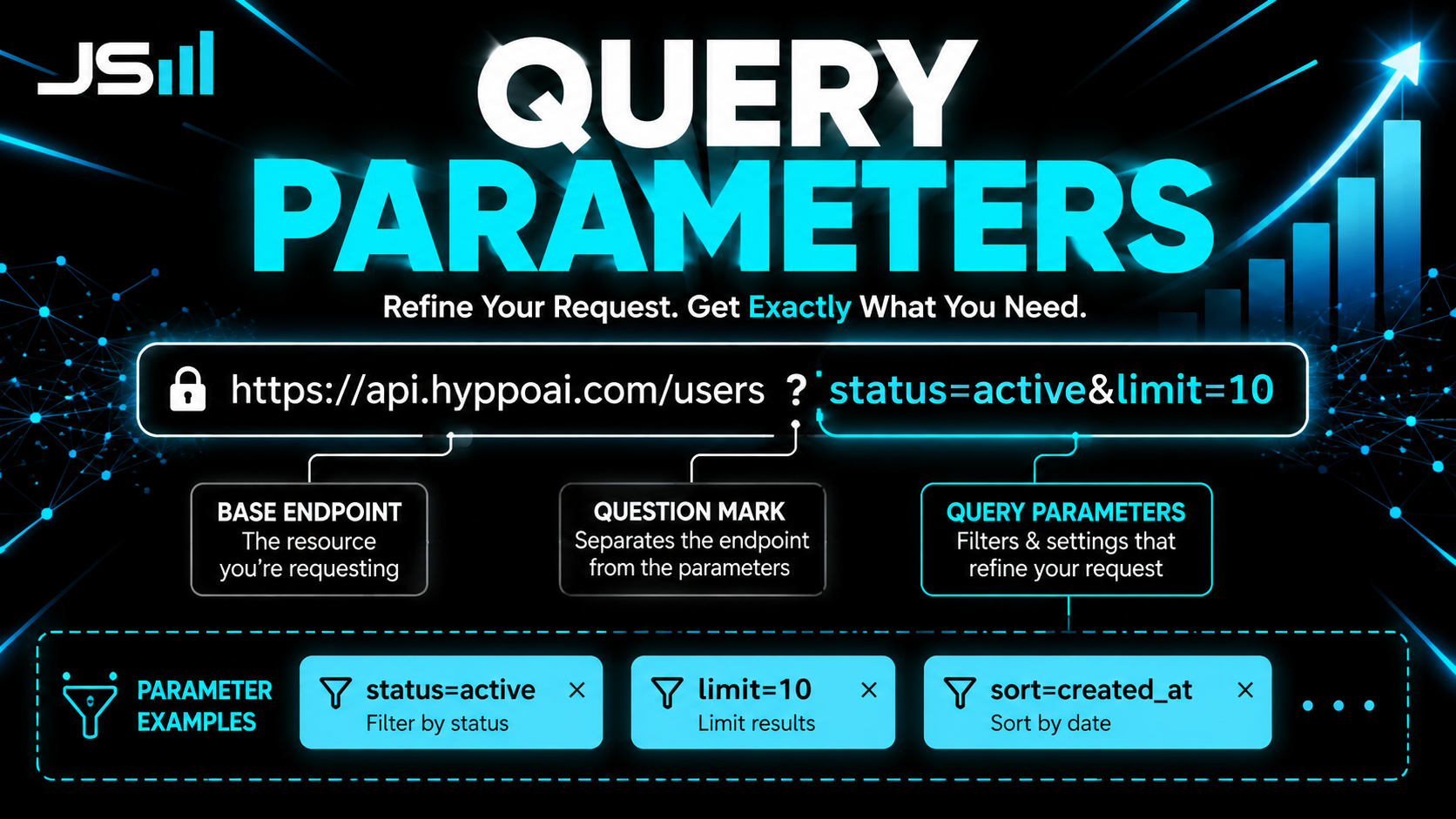
Query parameters are the little filters you tack onto the end of the address, usually after a question mark in the URL. Stuff like ?status=active&limit=10. They refine what you're asking for: "give me customers, but only active ones, and only ten of them."
Body
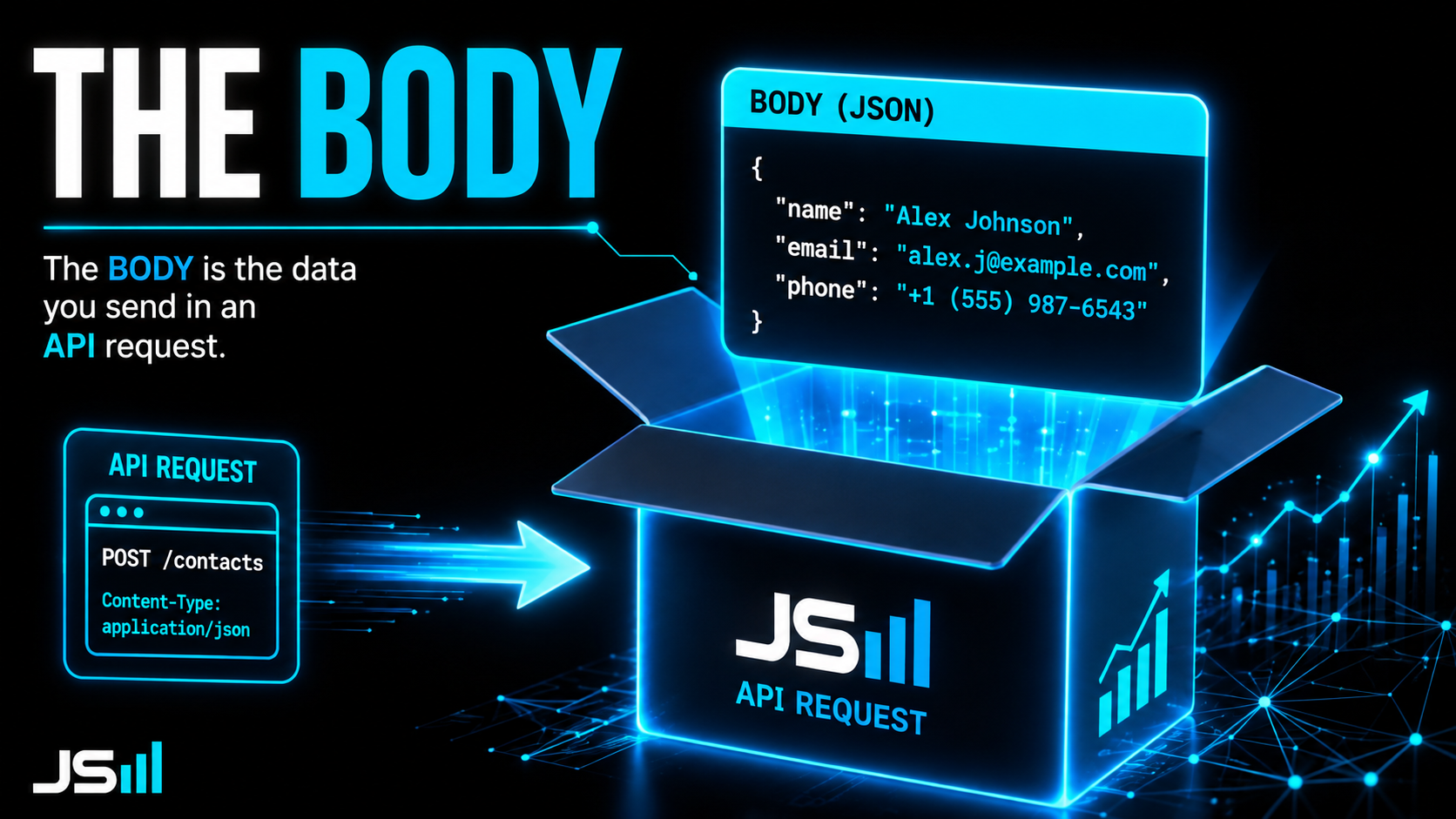
The body is the actual contents of the package. When you're creating or updating something (a POST or PATCH), the body holds the real data, the new contact's name, email, and phone. A GET request usually has no body; you're not sending anything, just asking.
What the kitchen says back (status codes)
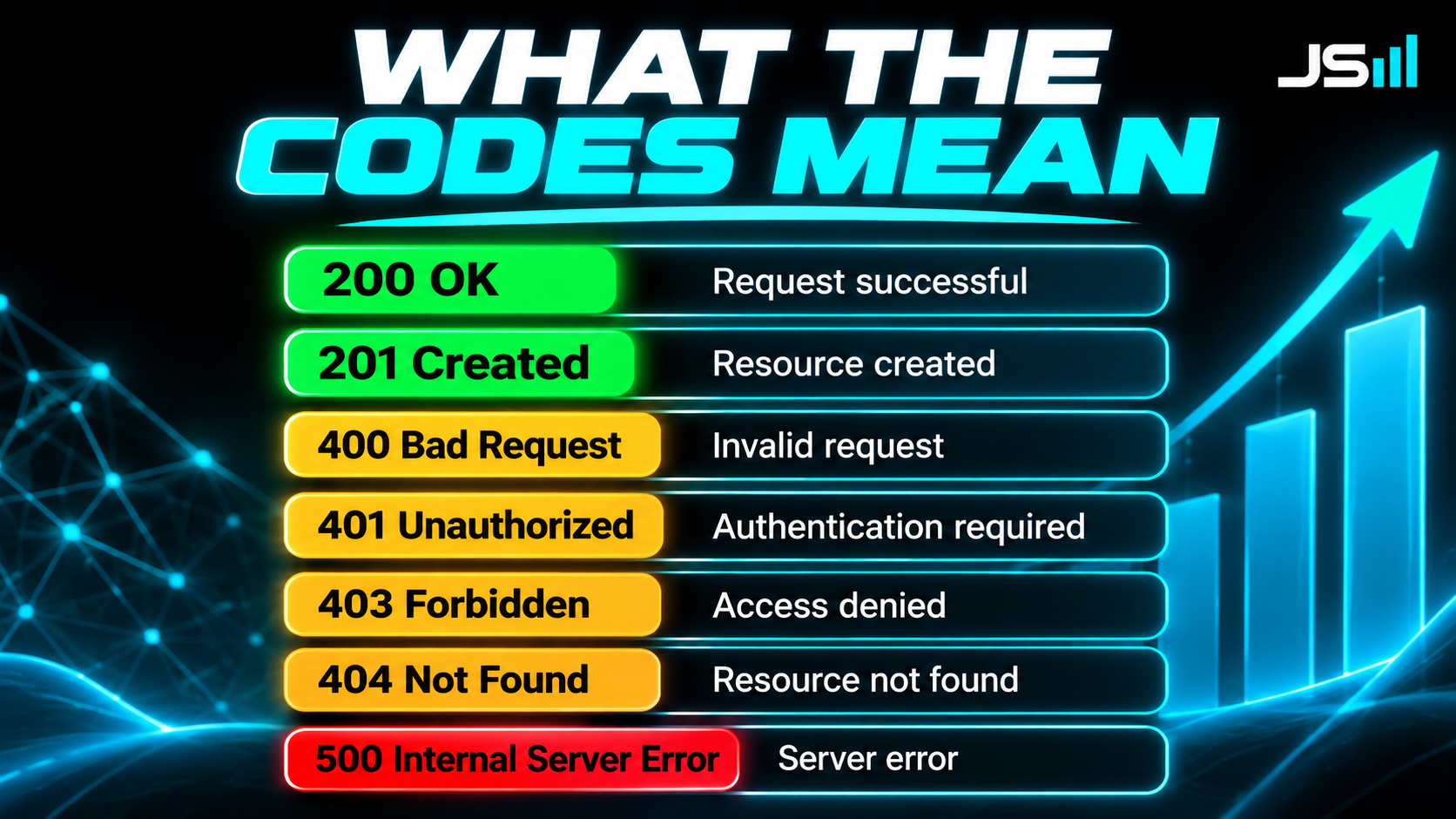
Every request gets answered with a status code, a three-digit number telling you how it went. They come in families, and once you know the families you can read almost any error.
2xx: it worked
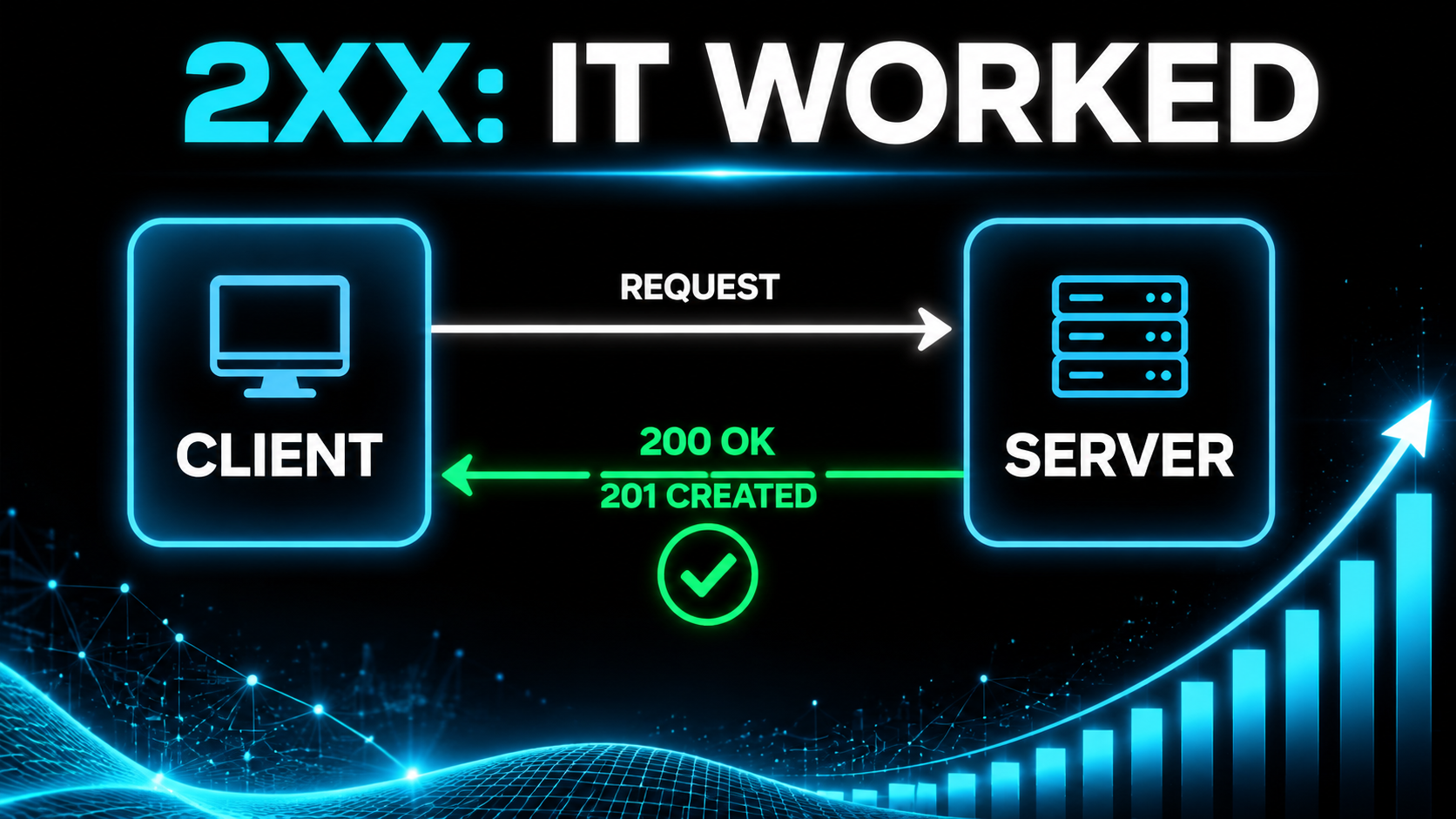
- 200 OK - success. It worked, here's your data.
- 201 Created - success, and something new was made. You'll see this after a POST.
3xx: go look somewhere else
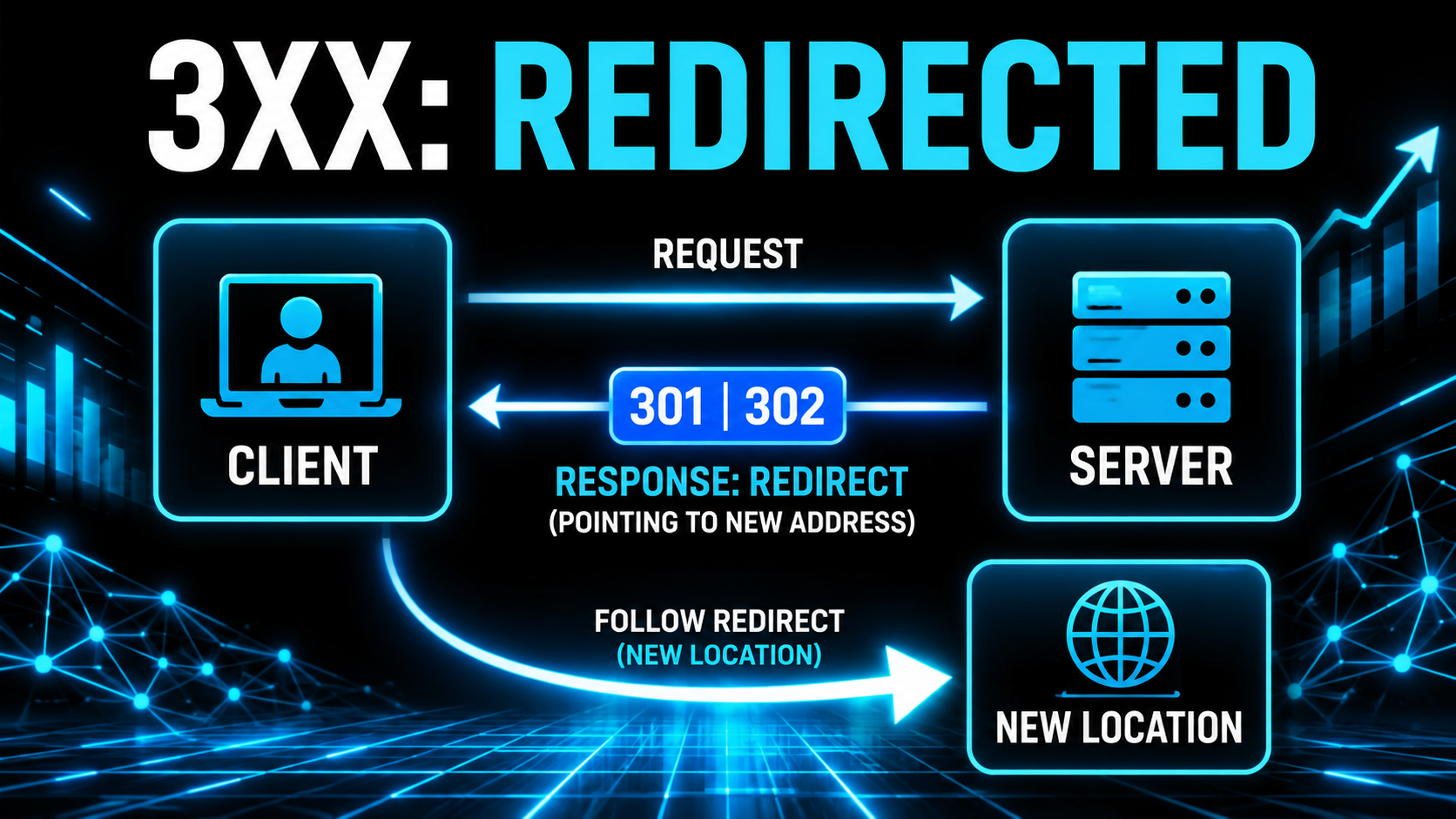
The 300s are redirects. The thing you asked for isn't at this address anymore, so the server points you to the right one.
- 301 Moved Permanently - this has a new home for good, update your bookmark.
- 302 Found - it's temporarily somewhere else, keep using the original address.
- 304 Not Modified - nothing has changed since you last asked, so just reuse what you already have. Great for speed.
4xx: you made the mistake
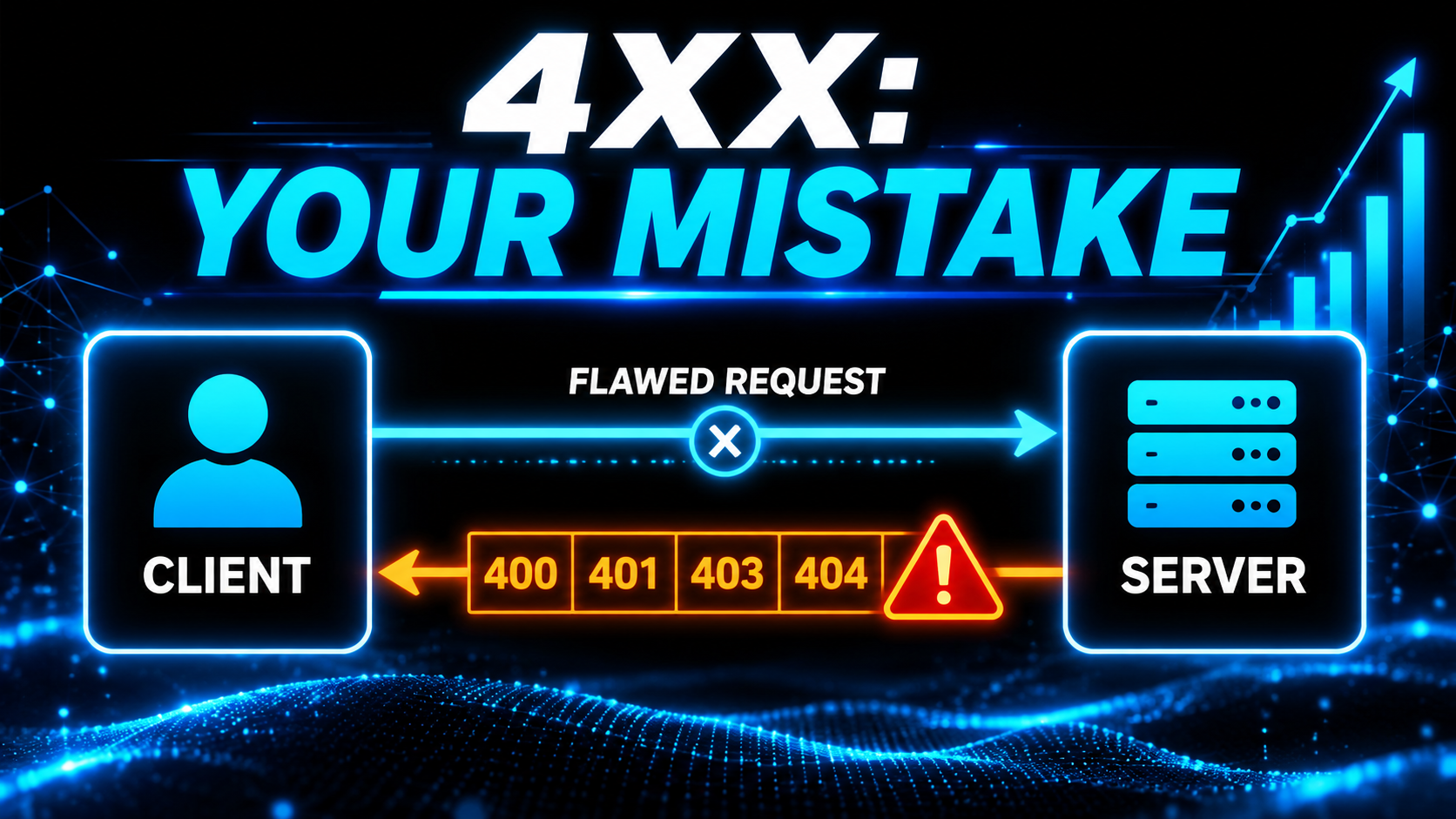
- 400 Bad Request - you sent something malformed. The kitchen couldn't read your order.
- 401 Unauthorized - you didn't provide a valid key. No pass, no entry.
- 403 Forbidden - your key is valid, but you're not allowed to do this specific thing. You got in the door, but that room's off-limits.
- 404 Not Found - the thing you asked for doesn't exist. The classic one you've seen in a browser.
- 429 Too Many Requests - you're going too fast. More on that in a second.
5xx: they made the mistake
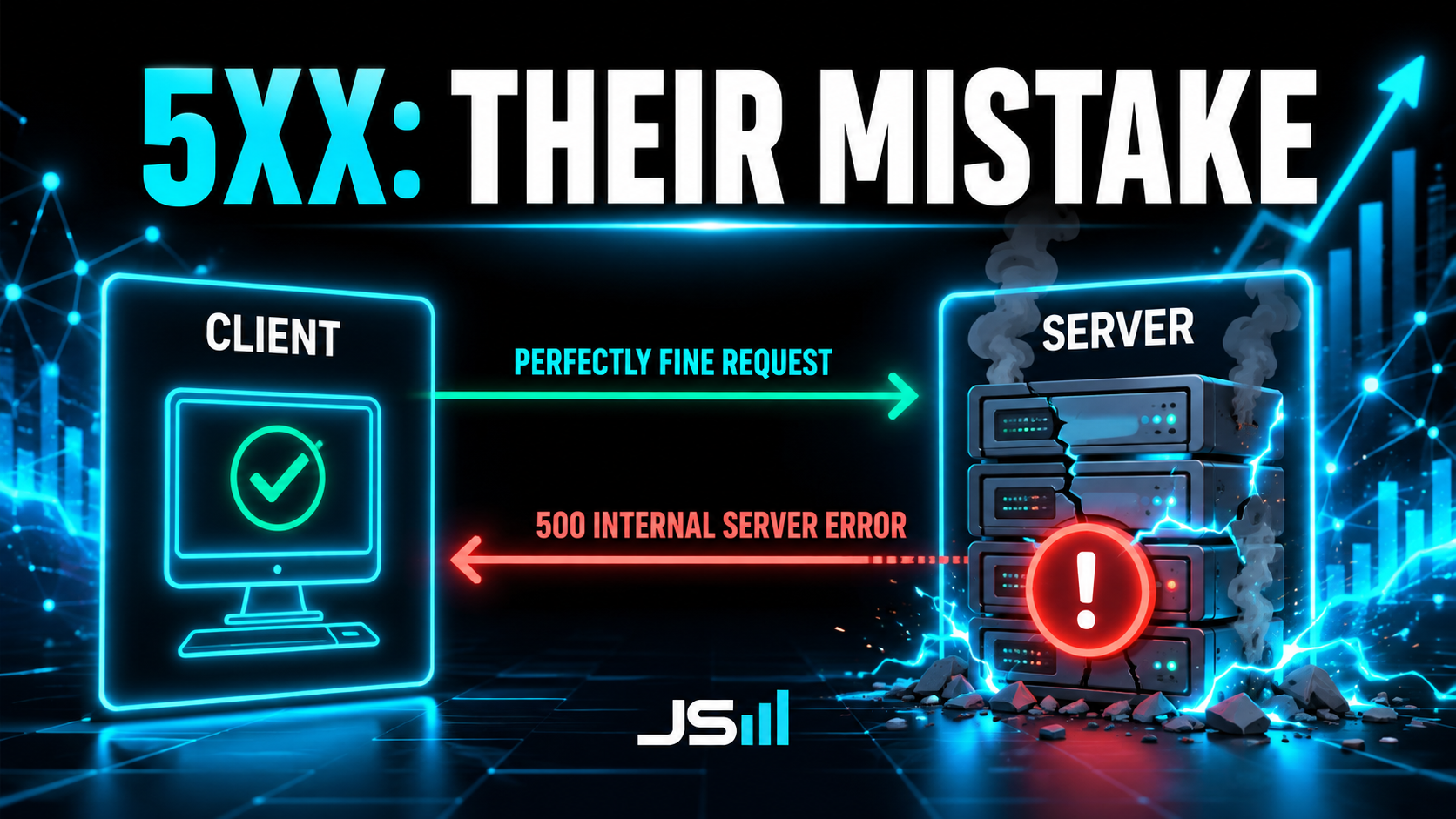
- 500 Internal Server Error - something broke on their end, not yours. The kitchen caught fire.
So the shortcut: 200s worked, 300s redirected you, 400s mean you did something wrong, 500s mean they did.
Three things that will bite you: pagination, rate limiting, and retries
Everything up to here is the theory. These three are what actually goes wrong the first time you point real code at a real API, and they're related, so I'm putting them together.
Pagination
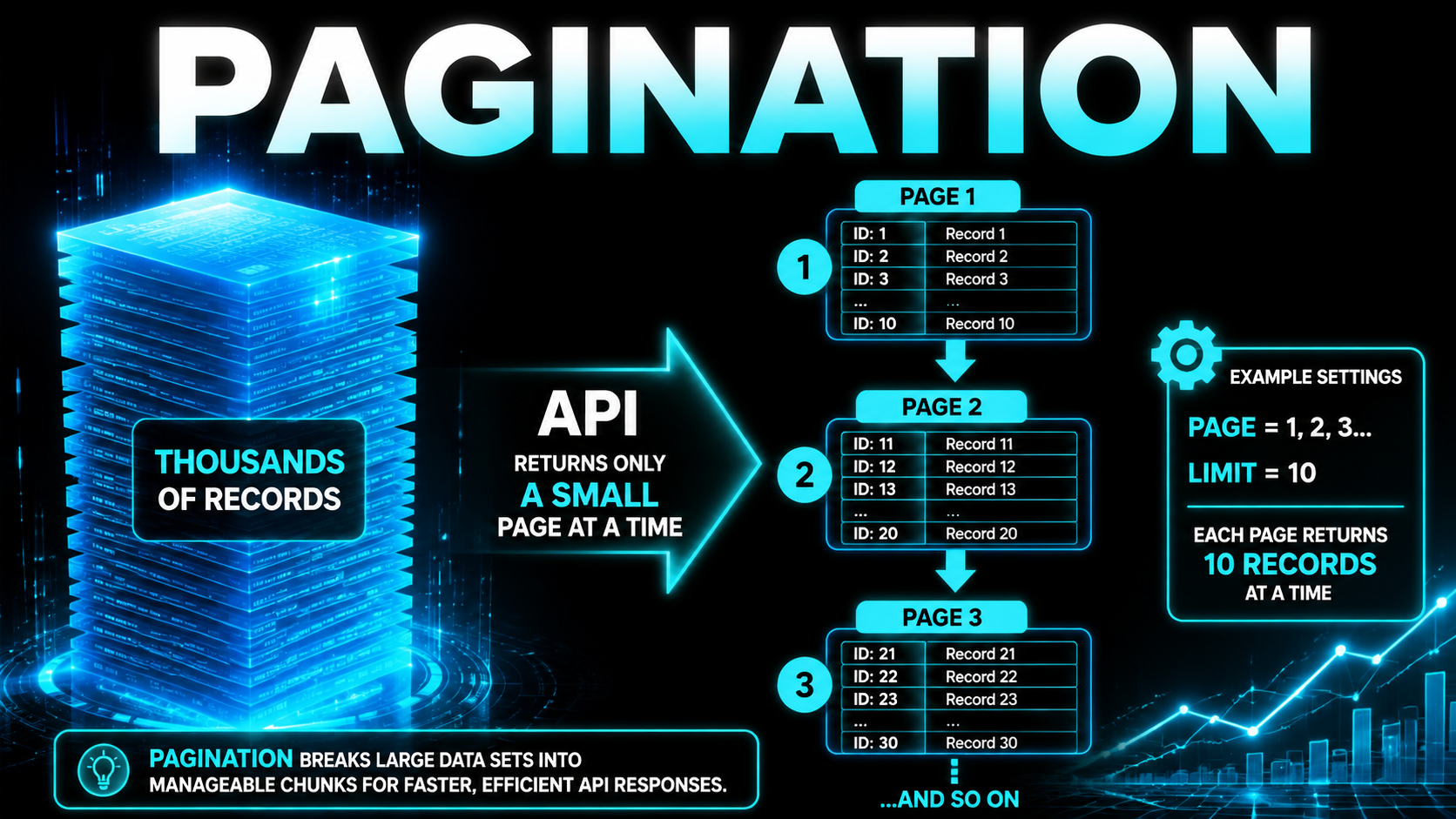
Say you've got 50,000 contacts. If an API tried to hand you all of them in one response, it would be enormous, slow, and would probably fall over. So APIs paginate: they give you results one page at a time.
You'll usually control it with query parameters like ?page=2&limit=100, meaning "give me the second batch of 100." The response typically tells you how many total records exist so you know how many pages to walk through. If you've ever pulled data and wondered why you only got the first 50 of something, this is why. You have to ask for the next page.
Rate limiting
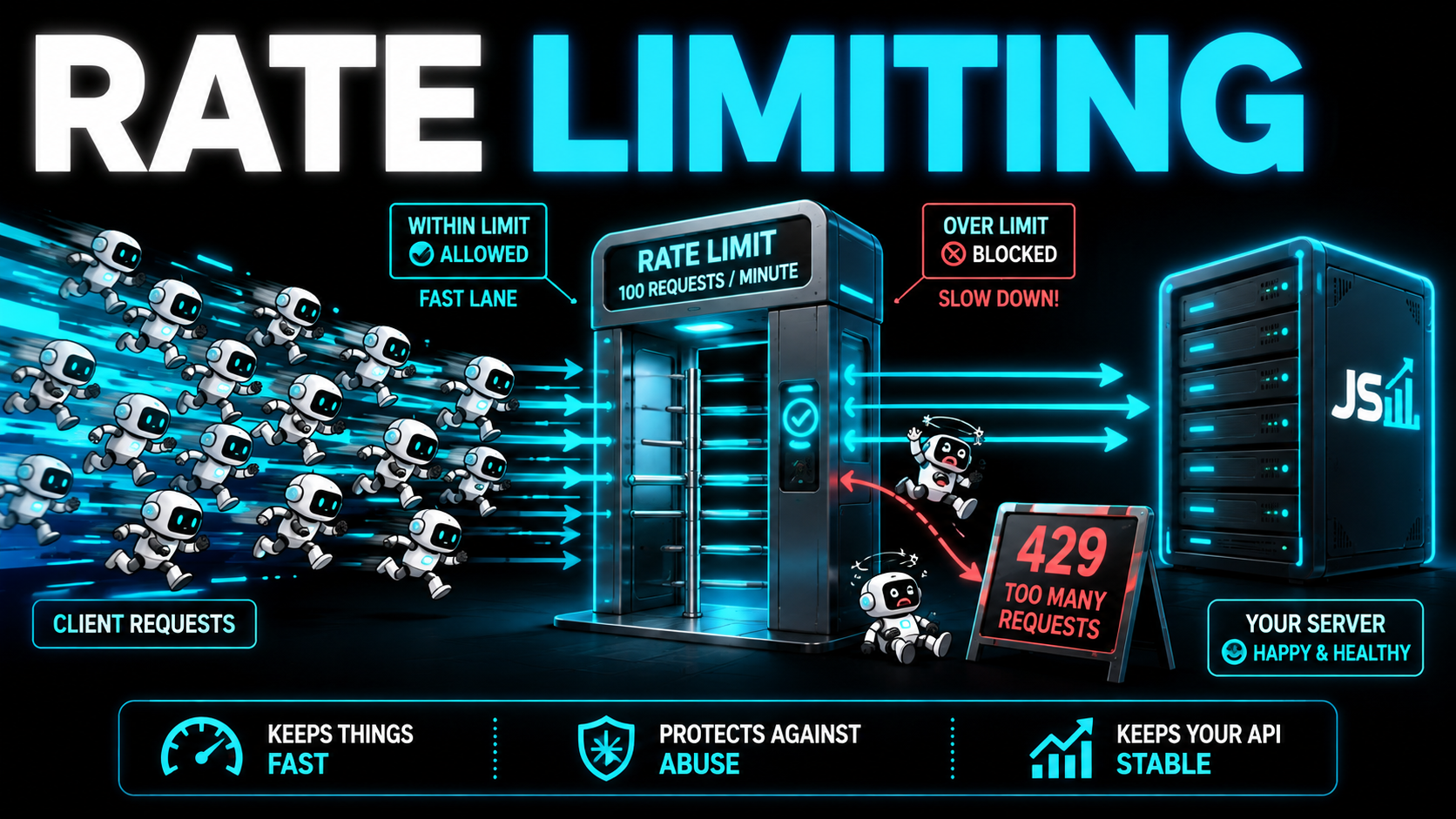
Rate limiting is a cap on how many requests you're allowed to make in a given window, say 100 per minute. Go over it and you start getting 429 Too Many Requests instead of your data.
It exists to protect the service from being hammered, whether by a runaway script or someone malicious. The practical lesson: when you're building something that talks to an API a lot, you have to respect the limit, space out your requests, and retry politely when you get told to slow down. This, by the way, is one of those specs that separates a serious platform from a toy. It's a big part of why Airtable's API limits make it unusable for real software.
Retries: try it again
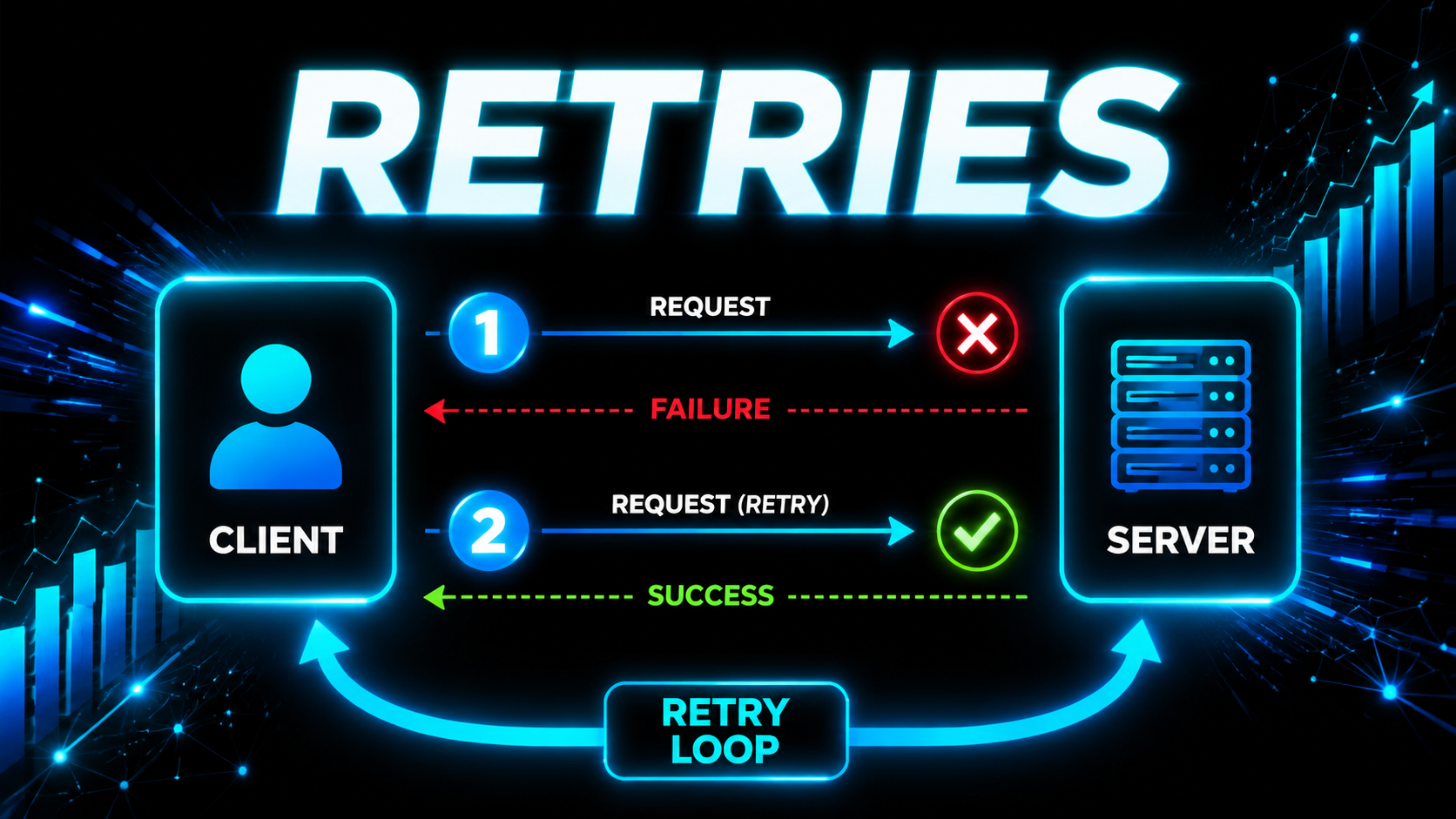
Here's the thing nobody tells beginners: requests fail. Not occasionally, routinely. The server hiccups, the wifi blinks, a connection times out, their database has a bad three seconds. Over thousands of calls, some percentage will just die on the way there or on the way back. That's normal, and code that assumes every request succeeds is code that will page you at 2am.
A retry is exactly what it sounds like: the request failed, so you send the same one again. That's the whole concept. The skill is knowing what to retry and when.
Retry these, because they can genuinely succeed on the next attempt:
- 429 - you got told to slow down. Wait, then go again.
- 500, 502, 503, 504 - their side broke or is overloaded. It might be fine in two seconds.
- Timeouts and dropped connections - the request never got a real answer at all.
Do not retry these, because they'll fail exactly the same way a thousand times in a row:
- 400 - your request is malformed. Sending the same broken thing again doesn't unbreak it.
- 401 / 403 - your key is wrong or you're not allowed. Retrying is standing at a locked door pulling the handle harder.
- 404 - it doesn't exist. It's not going to start existing.
That's the first rule of retries, and most people get it wrong in the same direction: they wrap everything in a blind retry loop and hammer an API with a request that was never going to work.
Backoff: wait, and wait longer each time
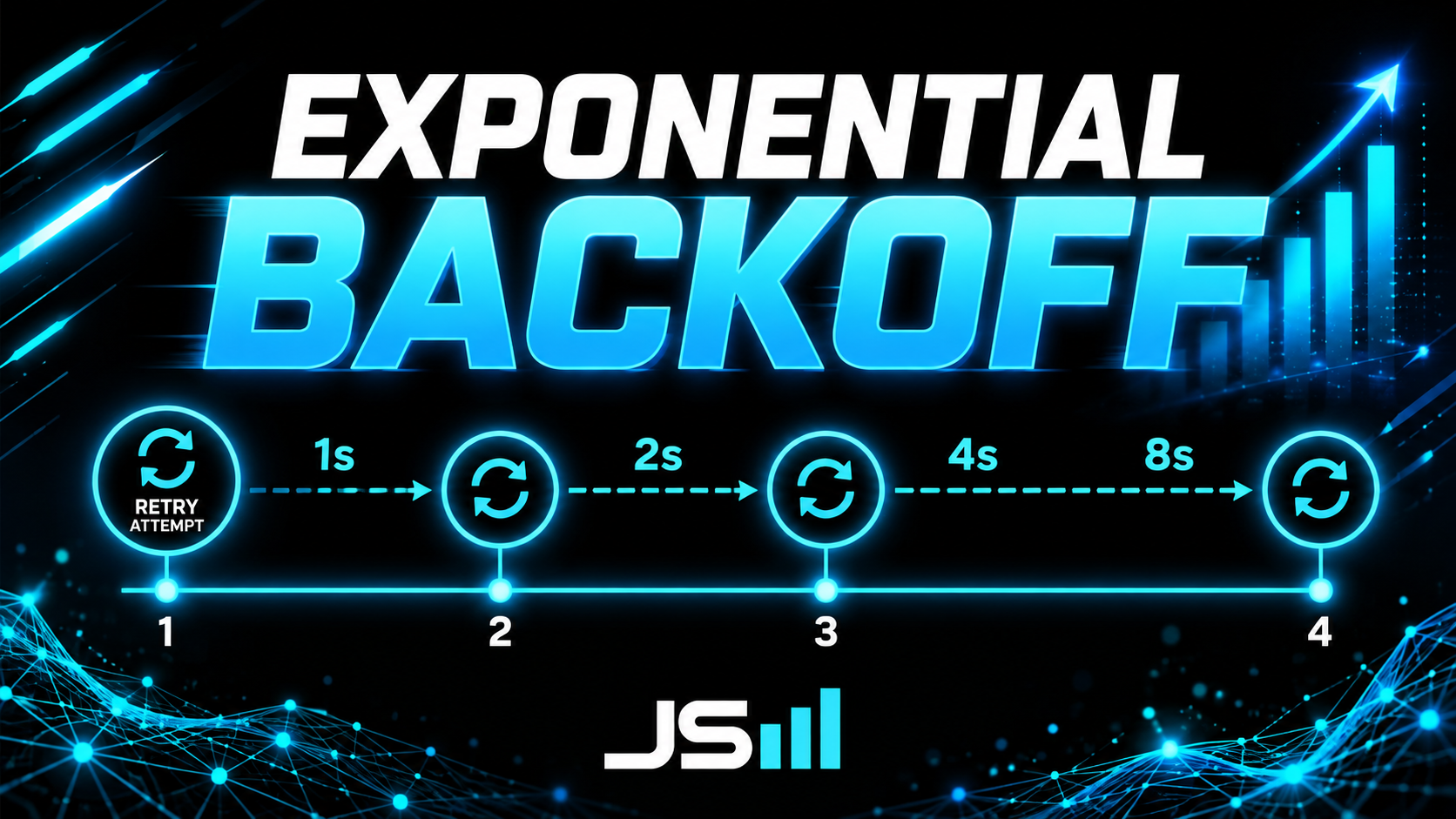
Now the important half. If a request fails and you immediately fire it again, and again, and again with no pause, you're not being persistent, you're being the guy who jabs the elevator button forty times. Worse, if the reason it failed is that the server is overloaded or that you're already over the rate limit, retrying instantly makes the exact problem you're trying to survive worse. Congratulations, you've built a small denial-of-service attack against a company you're paying.
Backoff is the fix, and it's beautifully simple: wait before you retry, and wait longer after each failure. The standard is exponential backoff, which means you double the wait every time. Fail, wait 1 second. Fail again, wait 2. Then 4. Then 8. Then 16.
Three things to bolt onto that, and they're all one line of code each:
- A cap on attempts. Usually 4 or 5. After that, stop, log it loudly, and let a human look. Infinite retries just hide a real outage.
- A cap on the wait. Doubling forever means attempt ten waits eight minutes. Ceiling it at something sane like 30 or 60 seconds.
- Jitter. This one's the pro move. Add a small random amount to each wait. Why? Because if a server blips and 500 clients all fail at the same instant and all back off exactly 1 second, all 500 come back at exactly the same moment and knock it over again. That's called a thundering herd. A bit of randomness spreads the crowd out.
And before you guess at any of it: a lot of APIs literally tell you how long to wait. When they send back a 429, they'll often include a Retry-After header with a number of seconds in it. Read it and obey it. It beats your math every time, and it's the difference between a client that plays nice and one that gets its key revoked.
The one that will actually bite you: retrying a POST
Here's the trap. Retrying a GET is totally safe, you're just reading. Retrying a PUT or a DELETE is usually safe too, because setting a record to the same value twice, or deleting something that's already deleted, lands you in the same place. The fancy word for that is idempotent: doing it twice has the same effect as doing it once.
POST is not idempotent. POST creates things. And here's the nasty part: when a request times out, you don't actually know whether it failed. Maybe it never reached the server. Or maybe it reached the server, worked perfectly, created the invoice, and the response got lost on the way back to you. From where you're sitting, those two look identical.
So you retry. And now the customer has two invoices, or got charged twice, or has a duplicate contact. This is how duplicate charges happen in the real world, and it's why good APIs support an idempotency key: you attach a unique id to the request, and if the server sees that same id twice, it knows it's the same order and refuses to do it a second time. Stripe does this well. If you're writing something that POSTs money-shaped things, use it.
How the three fit together
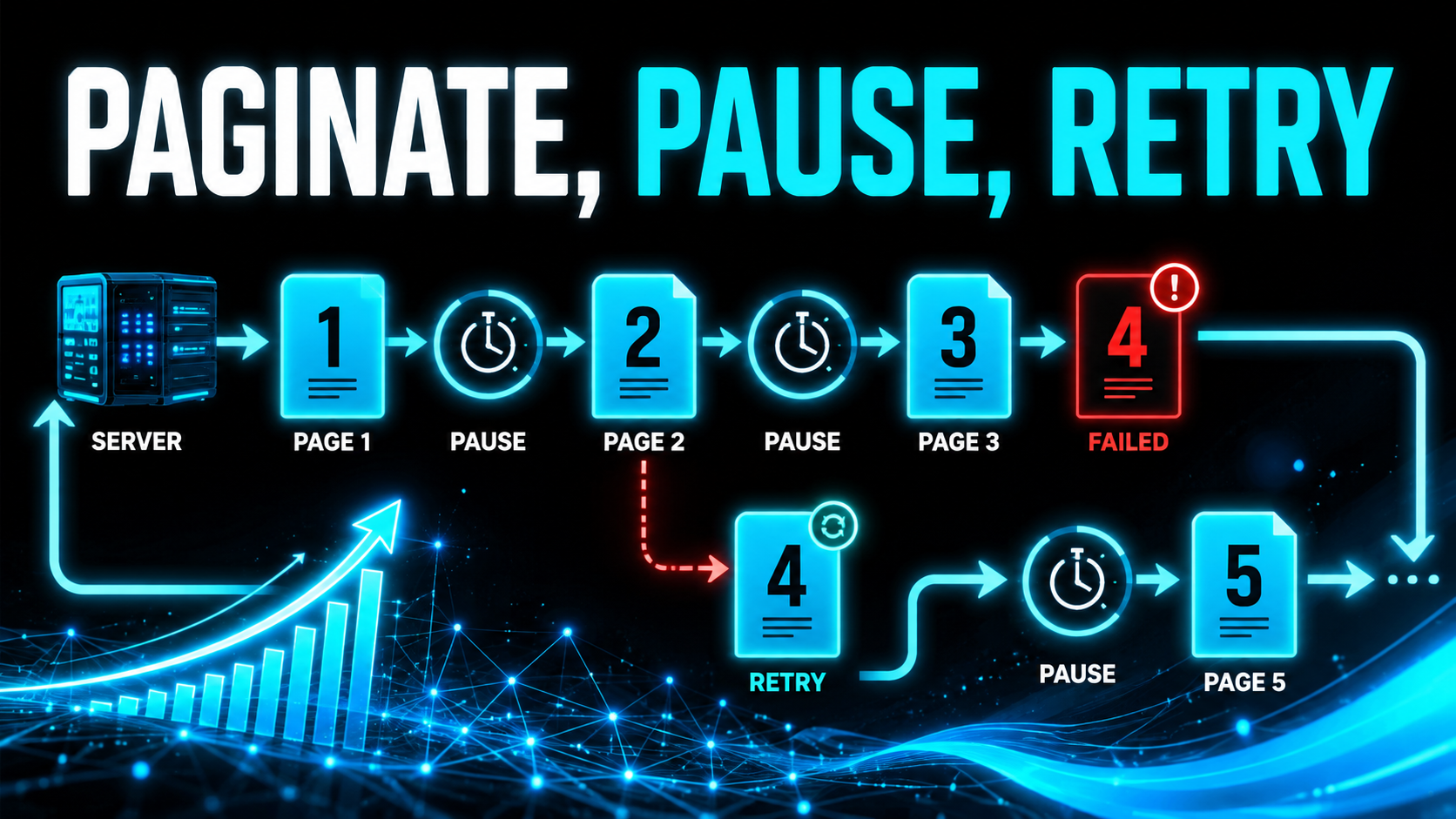
Now watch how these three stop being separate trivia and become one job. You want those 50,000 contacts.
Pagination decides how many requests you have to make: 50,000 records at 100 per page is 500 calls. Rate limiting decides how fast you're allowed to make them: at 100 per minute, that job takes five minutes minimum, and there's no clever way around it. Retries with backoff decide what happens when one of those 500 calls falls over, which, across 500 calls, it absolutely will.
Two habits that make this painless:
- Retry the page, not the job. If page 237 fails, retry page 237. Don't blow up the whole run and start at page 1, that's 236 wasted calls straight into the rate limit. Keep track of where you are and resume from there.
- Treat a 429 as pacing, not an error. If you're getting rate limited constantly, your backoff isn't a bug fix, it's your throttle. Slow the loop down on purpose and you'll finish faster than a script that sprints, gets blocked, and thrashes.
The best part: you write this once. A little wrapper around your HTTP calls that handles pagination, honors Retry-After, backs off exponentially with jitter, caps attempts, and knows which status codes are worth retrying. Every call in your app goes through it. It's maybe thirty lines, and then you never think about any of this again. That's what people mean when they say something is "production ready." It's not magic, it's just having actually handled the boring failures.
Why you should actually care
Here's the real-world payoff, even if you never write code. Ever opened the "integrations" tab of some software, gone looking for the tool you actually use, and found it's not there? With an API, you're not stuck. You (or someone like us) can build your own connection so your systems talk to each other anyway, your accounting software pulling straight from your CRM, your CRM firing off texts, your booking tool syncing your calendar. The API is what makes "just make these two talk" possible instead of a fantasy.
This is also why, when I started building HyppoCRM (shameless plug, the base version's free at hyppocrm.com), one of the very first things I built was the API. Two reasons, and they both trace back to good UI: you want people clicking less, and you want the software accessible. A lot of technical users, developers especially, would rather interact with your software through their own programs than through your buttons. An API hands them that door on day one.
The part most people miss: the UI runs on the API too
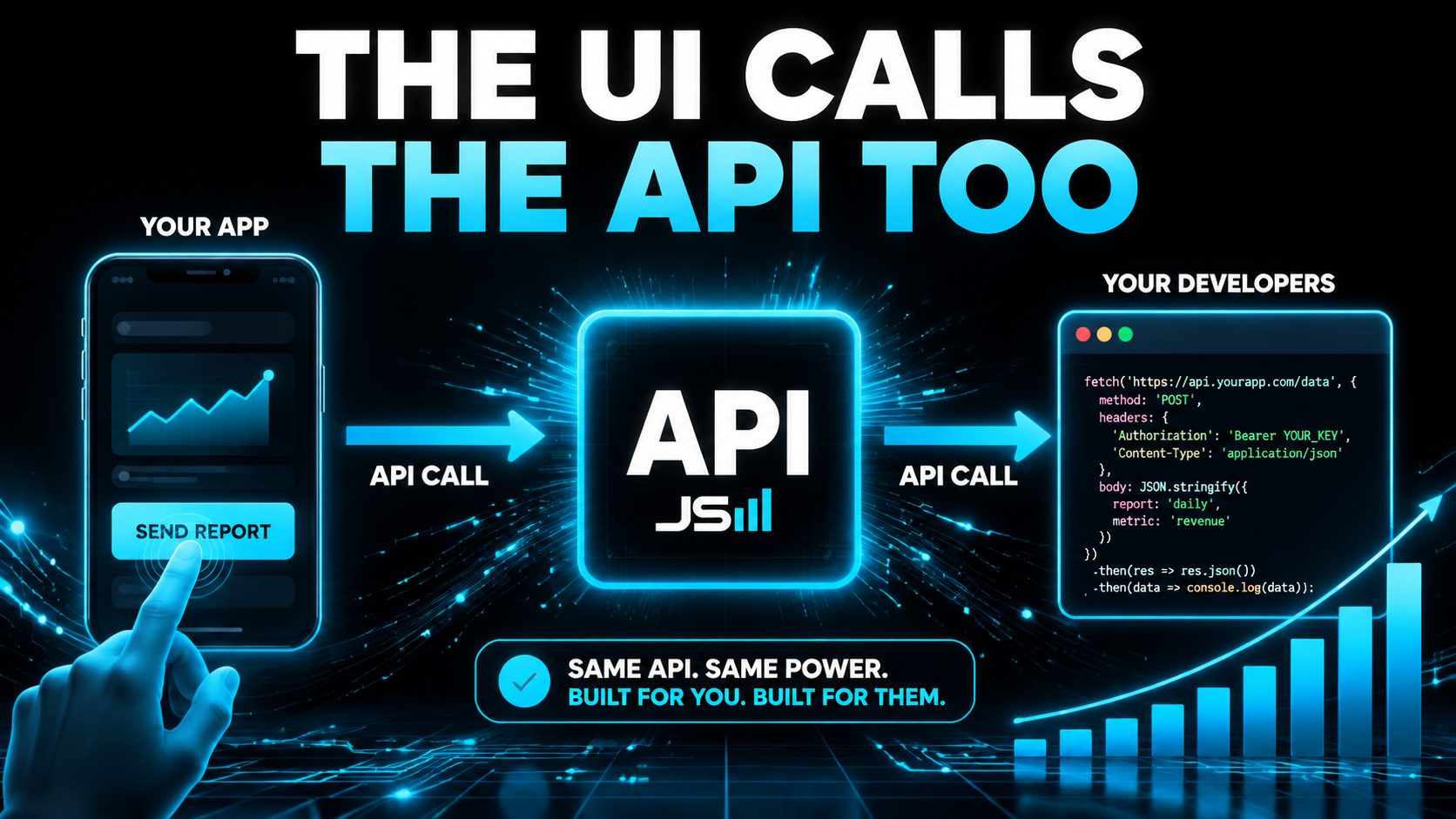
An API isn't just a thing for outside developers. In a well-built product, the app's own screen runs on the very same API. When you click a button in our CRM, that click quietly fires an API call under the hood, the identical one a developer could make from their own code.
That's called being API-first, and it's just better architecture. The alternative, which a lot of older software does, is to build the app one way and then bolt an API on the side as an afterthought. Now you've got two separate systems that drift apart, behave differently, and double your maintenance. It's a mess. When the UI and the API are the same thing, there are fewer moving parts, less to maintain, and less to break as you grow. (This is the whole drum I bang in On Architecture.)
Build the API, even for yourself
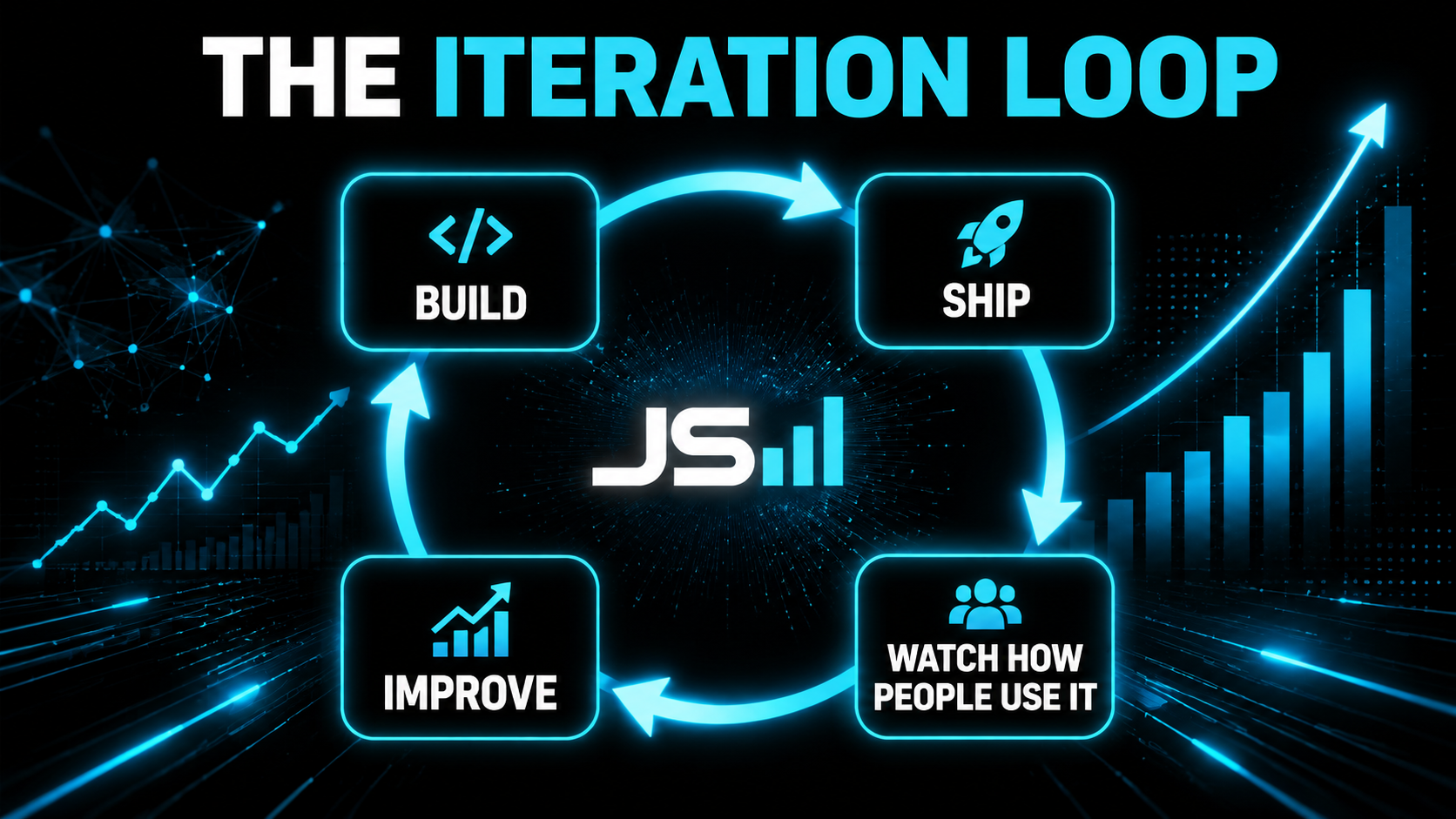
One more piece of wisdom, and it's not just mine, Sam Altman has said it too: when you build a product, build an API. It forces you to understand how your own data really flows, and it lets people use your product inside their own programs, which teaches you an enormous amount about how they actually use it.
That insight is gold, because it feeds straight back into making the thing easier to use, stripping out clicks, cutting steps, which is the entire argument I make in On UI. Build, ship, watch how people really use it, improve, repeat. That loop is where good products come from, and an API is one more surface to run it on.
And now the big one: AI agents use your API
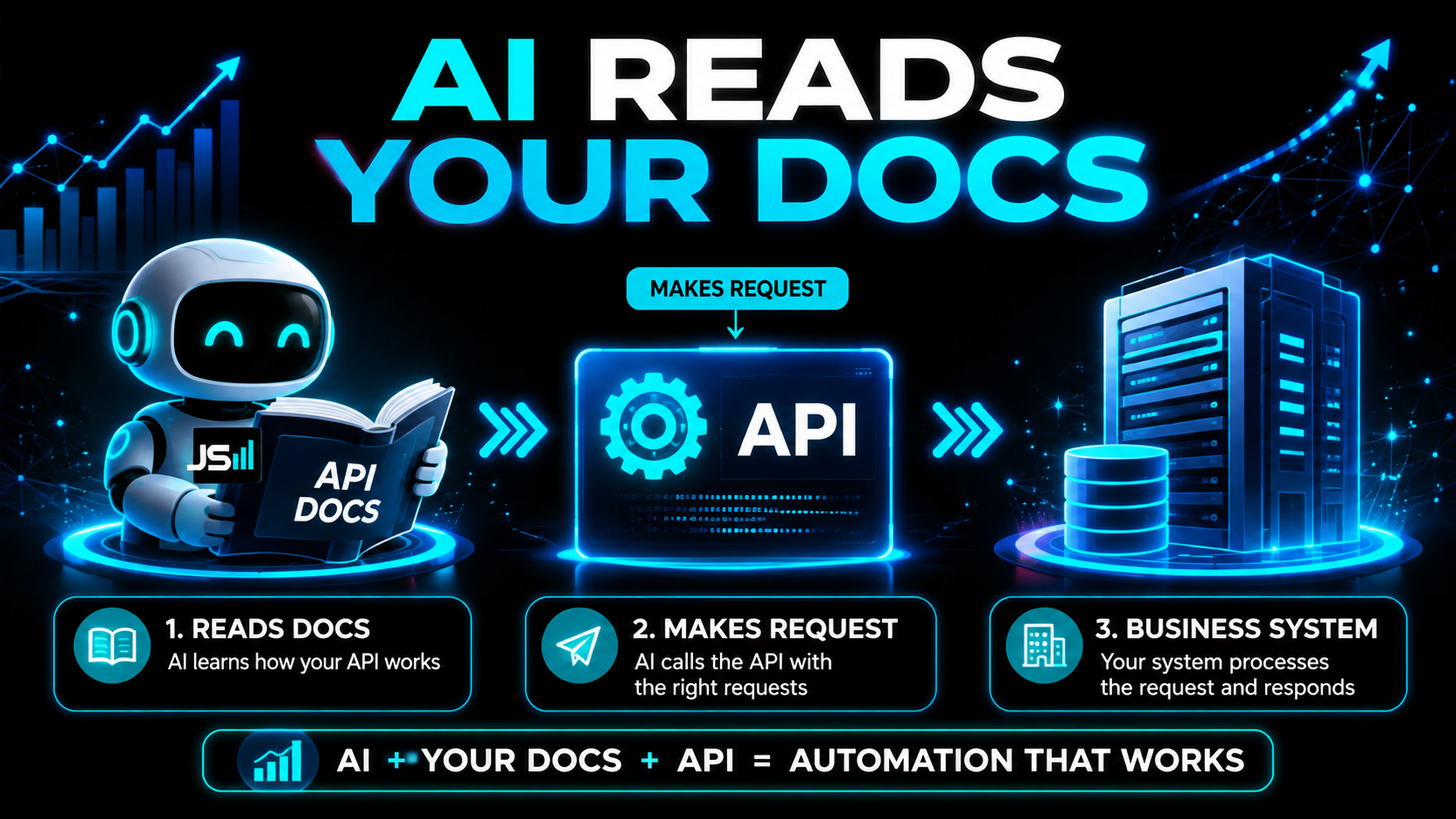
Here's the reason all of this matters more in 2026 than it did five years ago. AI agents don't click buttons. They can't use your pretty interface. The only way an AI can actually do something inside your software is through your API.
Which makes API documentation critical. API docs are simply the instruction manual for your API: here are the endpoints, here's what each one does, here's what to send, here's what comes back, here's how to authenticate. Historically that was written for human developers. Now it's also what an AI agent reads to figure out how to operate your system. Bad docs, and the agent can't use you. Clear docs, and it can.
And this is where retries come back around, because an agent is exactly the kind of client that will hammer you. It doesn't get tired, it doesn't notice it's being rude, and if it isn't told to back off it will cheerfully retry a failing call five hundred times in a row. Document your rate limits and your Retry-After behavior, and a well-built agent will actually respect them.
That's the whole thesis behind something I wrote a while back: the next trillion-dollar company is going to be a platform AI can actually use. If you want to matter in a world where agents do the work, the doorway they come through is your API, and the map they read is your documentation.
The takeaway
An API is the waiter between two programs. You knock on a specific endpoint, place an order (GET, POST, PUT, PATCH, DELETE, HEAD), package it with headers, query parameters, and a body, flash your key, and get back a status code telling you how it went. Mind your pagination, respect the rate limits, retry the failures that can actually succeed and back off exponentially when you do, be careful retrying anything that creates, expose only what's safe, and document all of it clearly.
Get comfortable with that and the entire software world becomes something you can connect, extend, and bend to your business, instead of a set of locked boxes. That's the whole series in one idea: none of this is mysterious once somebody just explains it.
Want your software actually talking to each other?
We build API-first systems, documented properly, that your tools and your AI agents can actually use. That's what we do at HyppoAI.
Want to talk about what you're building?
Get in touch