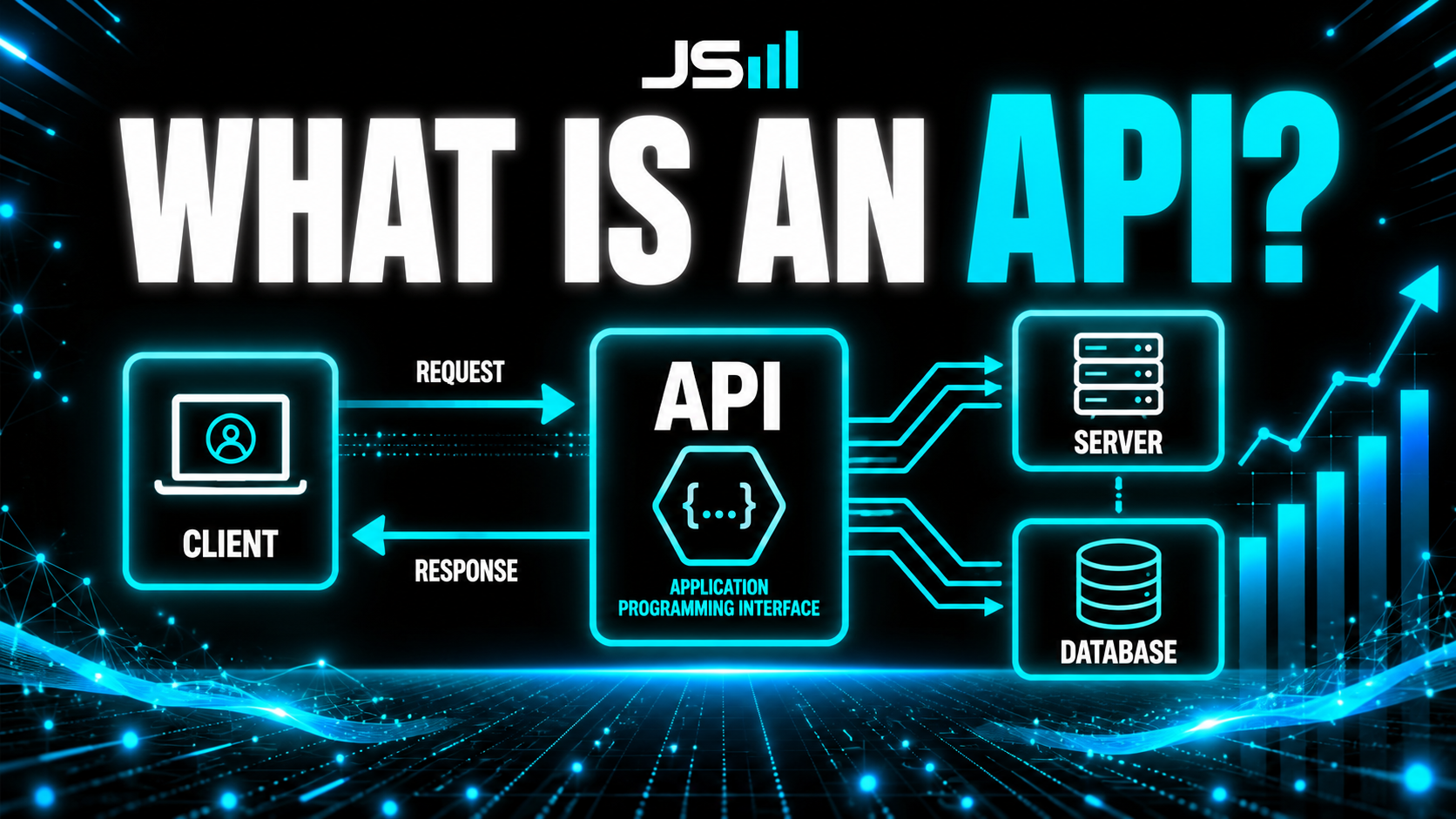
What Is an API Key?

Next in the series, right after the .env file: what exactly is an API key? Software is a team sport, your app is always asking other services to do things, and an API is the doorway between two programs. An API key is the backstage pass that gets your app through that door. It identifies you, controls what you're allowed to do, and tracks your usage (that's how you get billed). And here's why you should care even if you never code: every time your accounting software talks to your CRM, or your CRM texts a customer, or your store charges a card, an API key is making it happen. Keep it in a .env file, never commit it to GitHub or ship it to the browser, give it the least access it needs, and rotate it the second it might have leaked.
I just wrote about the .env file, the locked drawer where your app keeps its secrets. But I kept using a term in there that deserves its own post, because it's one of the most important concepts to understand once you start building: the API key. So here it is, the next piece in the series.
Start with the door
Software is a team sport. Your app is constantly asking other services to do things for it, "hey database, save this," "hey Twilio, send this text," "hey Stripe, charge this card." The way one program talks to another is through something called an API. Think of an API as a doorway between two pieces of software.
But you can't let just anyone walk through that door. The service on the other side needs to know who's knocking. That's what an API key is for.
So what actually IS an API key?

An API key is a backstage pass for your software. It's a long, unique string of characters that your app shows to another service to prove it has permission to be there. Flash the pass, the bouncer waves you in. No pass, you're stuck at the velvet rope.
That's really all it is: a credential, basically a password your program uses to log into another program. Simple idea, but it quietly does three important jobs.
The three jobs of a key
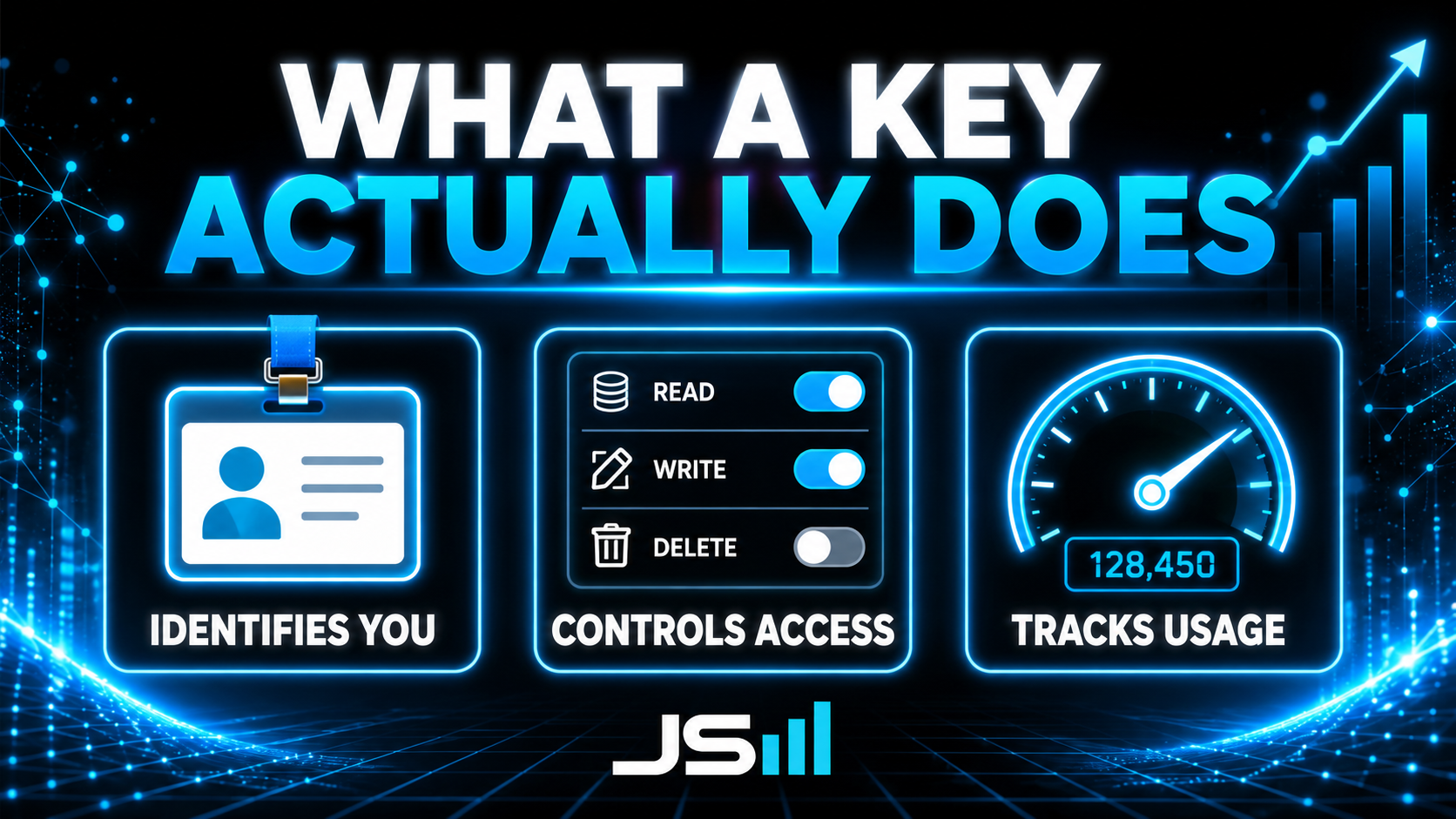
1. It identifies you. The moment your app uses its key, the service knows exactly which account is making the request. It's your name tag.
2. It controls what you're allowed to do. A key can be granted specific permissions. One key might be allowed to only read data, another might be allowed to read and delete. The pass doesn't open every door, just the ones you've been cleared for.
3. It tracks your usage. Every request tied to your key gets logged, and that's usually how you get billed. Send 10,000 texts through Twilio and your key is the reason the invoice has your name on it.
Which leads straight to the scary part. If someone steals your key, they are you. They can rack up your bill, pull your data, and impersonate your app, all on your dime. Leaked keys get scraped off the public internet by bots within minutes. This isn't paranoia, it's Tuesday.
Okay, but why should YOU care?
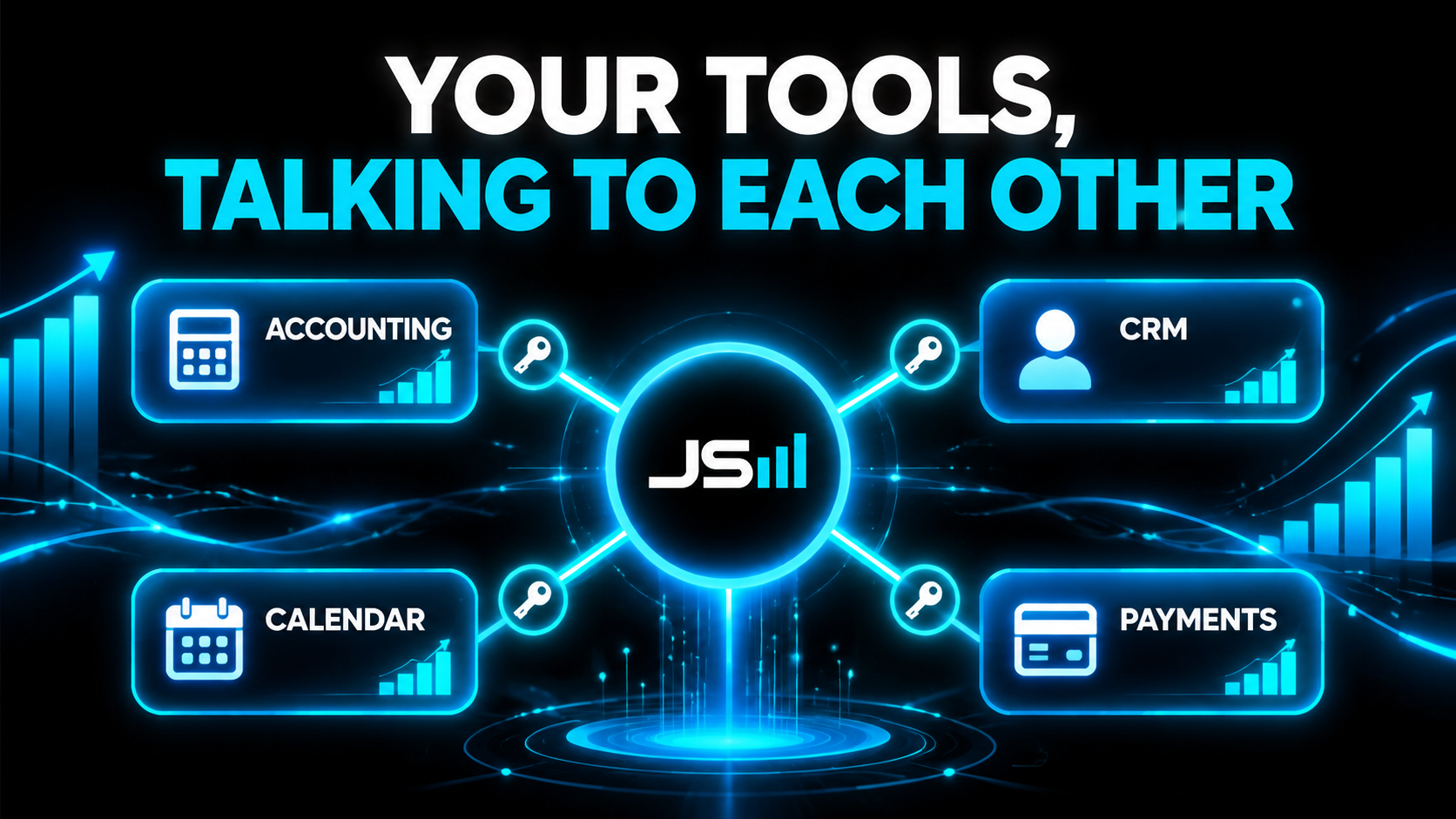
Fair question if you're not a developer. Here's why this matters in the real world, even if you never write a line of code.
Every time two pieces of your business software talk to each other, there's an API key quietly making it happen. Your accounting software pulling invoices straight from your CRM so nobody re-types them? API key. Your CRM automatically texting a customer an appointment reminder through Twilio? API key. Your online store charging a card through Stripe and marking the order paid? API key. Your booking tool dropping a new appointment onto your Google Calendar? API key.
That's the whole magic of a connected business: your tools stop being separate islands and start passing information to each other automatically, no copy-paste, no human in the middle re-entering data. Every one of those handoffs runs on a key. So when you hear "we'll integrate your systems," what's really happening under the hood is keys being exchanged so your software can work as one. Understanding that is the difference between a business owner who gets why an integration is powerful (and why a leaked key is dangerous) and one who just nods along.
How to use an API key properly
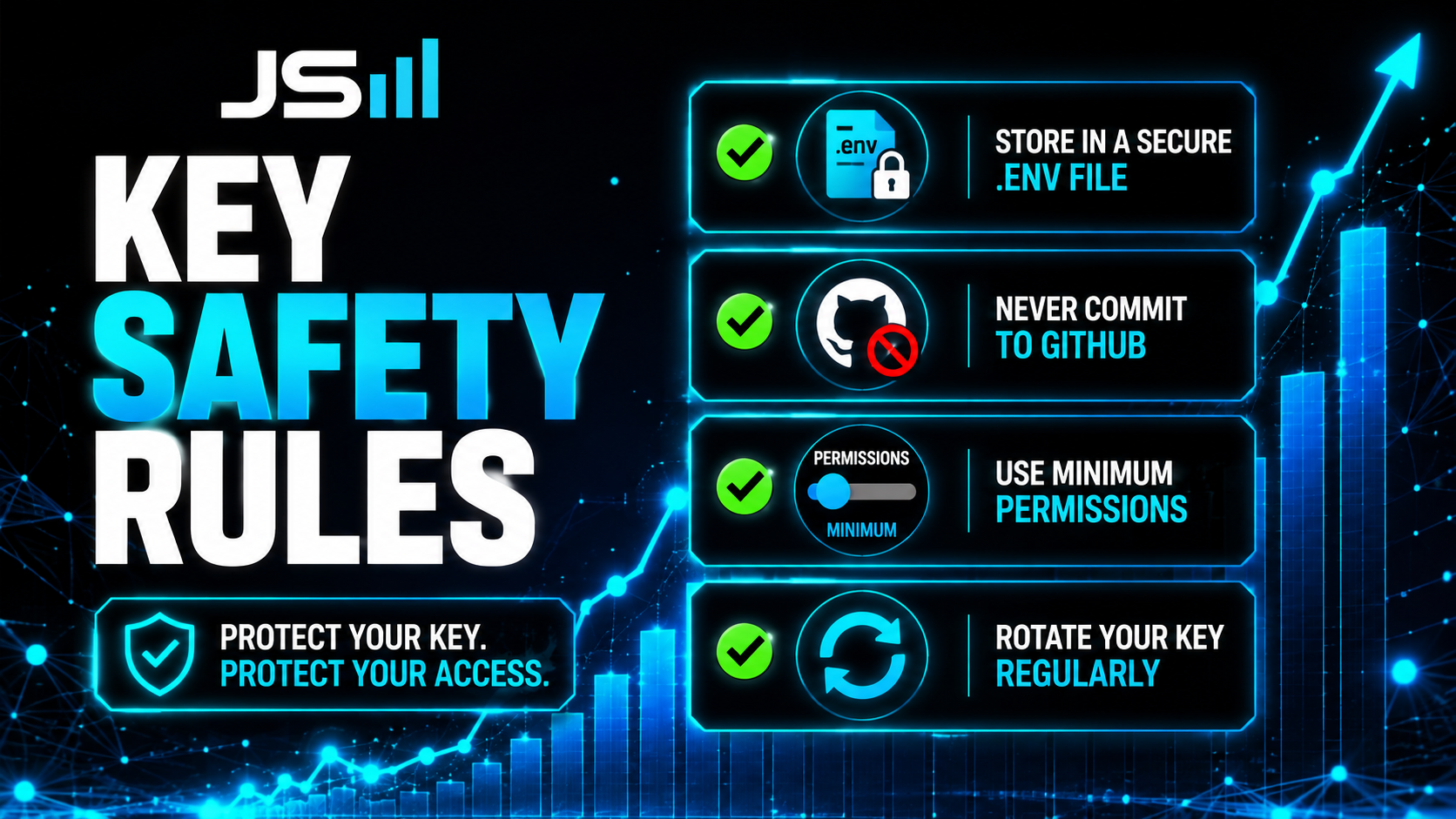
Good news: protecting keys is mostly a few simple habits.
Keep it in a .env file. Never paste a key directly into your code. Store it in your .env file and reference it from there. That's the whole reason .env files exist.
Never expose it publicly. Don't commit it to GitHub, and don't ship it in anything that runs in the user's browser, where anyone can pop open the dev tools and read it. Keys belong on your server, in your host's secure settings, never in the front end.
Give it the least power it needs. This is a principle I live by in architecture: least privilege. If a key only needs to read data, don't give it permission to delete. That way, even if it leaks, the damage is capped. (More on that mindset in On Architecture.)
Rotate it. Swap your keys out periodically, and the instant you suspect one leaked, kill it and issue a new one immediately. Because you kept it in a .env file, that's a one-line change, not a scavenger hunt.
Separate your environments. Use different keys for testing and for your live app. If your test key gets messy or exposed, your real customers and your real bill stay untouched.
The takeaway
An API key is your app's backstage pass: it proves who you are, decides which doors you can open, and keeps the tab. It's also the quiet workhorse behind every "integration" that makes your business tools talk to each other. Treat it like what it really is, a password with a credit card attached. Keep it in a .env file, never let it go public, give it only the access it needs, and rotate it without hesitation.
Do that, and the doors of the software world open up for whatever you're building, without handing a stranger the keys to your whole operation. Next piece in the series coming soon.
Want it built secure from the start?
We handle the keys, the secrets, and the architecture the right way, so nothing leaks and nothing breaks. That's what we do at HyppoAI.
Want to talk about what you're building?
Get in touch