What Is an SDK?
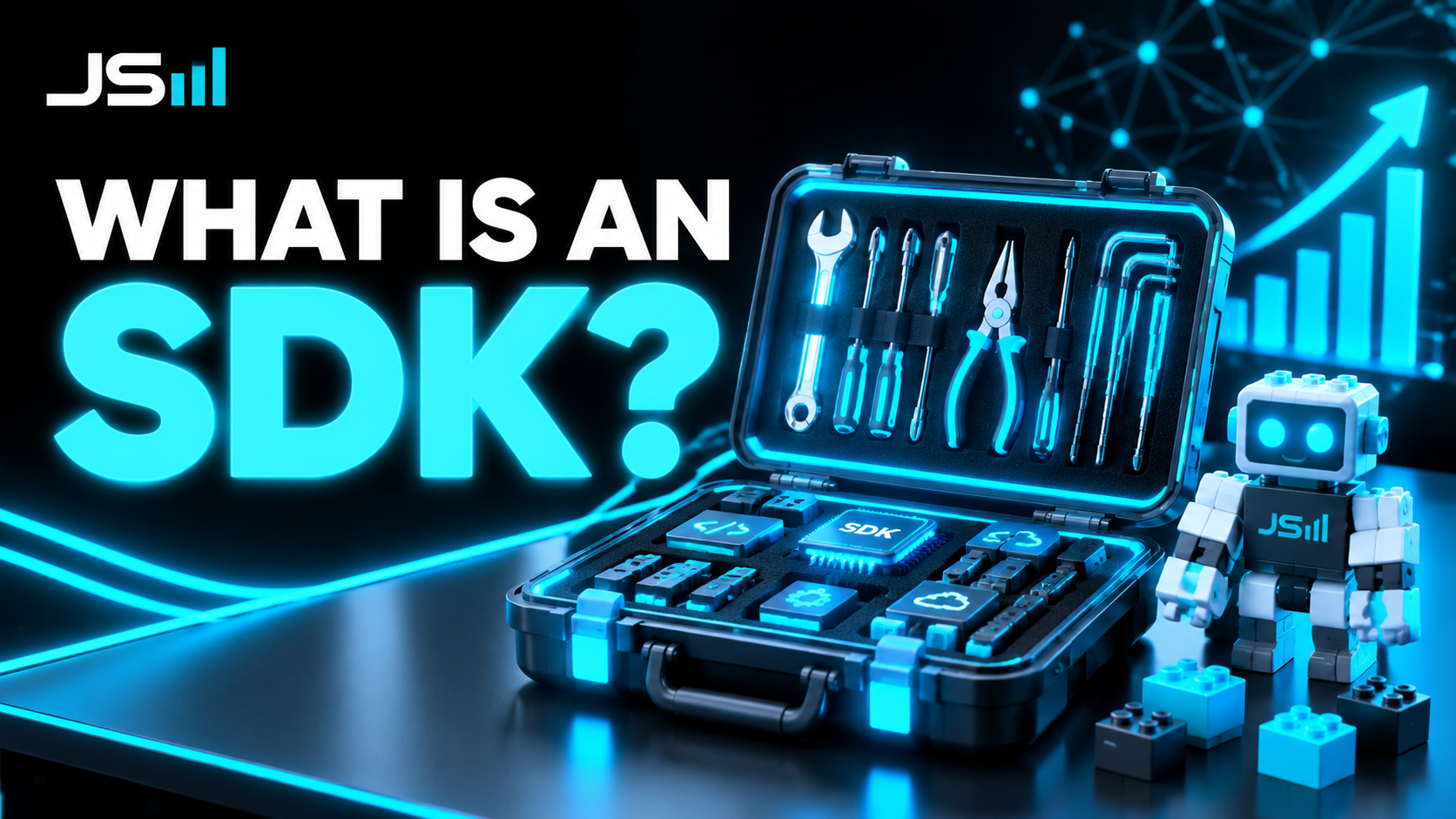
An API is the door into somebody else's software. An SDK is the toolbox they hand you so you don't have to build your own key, your own hinges, and your own doorknob. Here's the difference in plain English, and why it's the reason Joe 3.5 exists.
A couple weeks ago I wrote What Is an API? and a bunch of you told me it was the first time the word actually made sense. Great. Now I'm going to ruin it by introducing the word that always shows up right next to it: SDK.
Don't worry. If you got the API one, this one is easier. SDK is just the API with the hard parts done for you.
Quick recap: what an API is
An API is a door. It's the official way into somebody else's software. Stripe has one, Google has one, Claude has one. You knock in a very specific way, you show your API key at the door, and the software on the other side does something for you: charges a card, sends an email, answers a question.
The catch is that the door doesn't care about you. It has rules. Knock wrong and it slams. If it's busy, it tells you to come back later and you have to write the code that comes back later. If you want to knock a hundred times, you write the code for all hundred knocks. The API gives you access. It does not give you help.
So what's an SDK?
SDK stands for Software Development Kit. Think of the word "kit" the way you'd think of a Lego kit or an IKEA box. Somebody already made all the pieces, sorted them, and wrote the instructions. You still build it. You just don't have to mine the plastic.
An SDK is the company saying: "We know our own door better than you do. So here's a toolbox with the key already cut, the knocking already figured out, and the 'try again later' logic already written. Just use the toolbox."
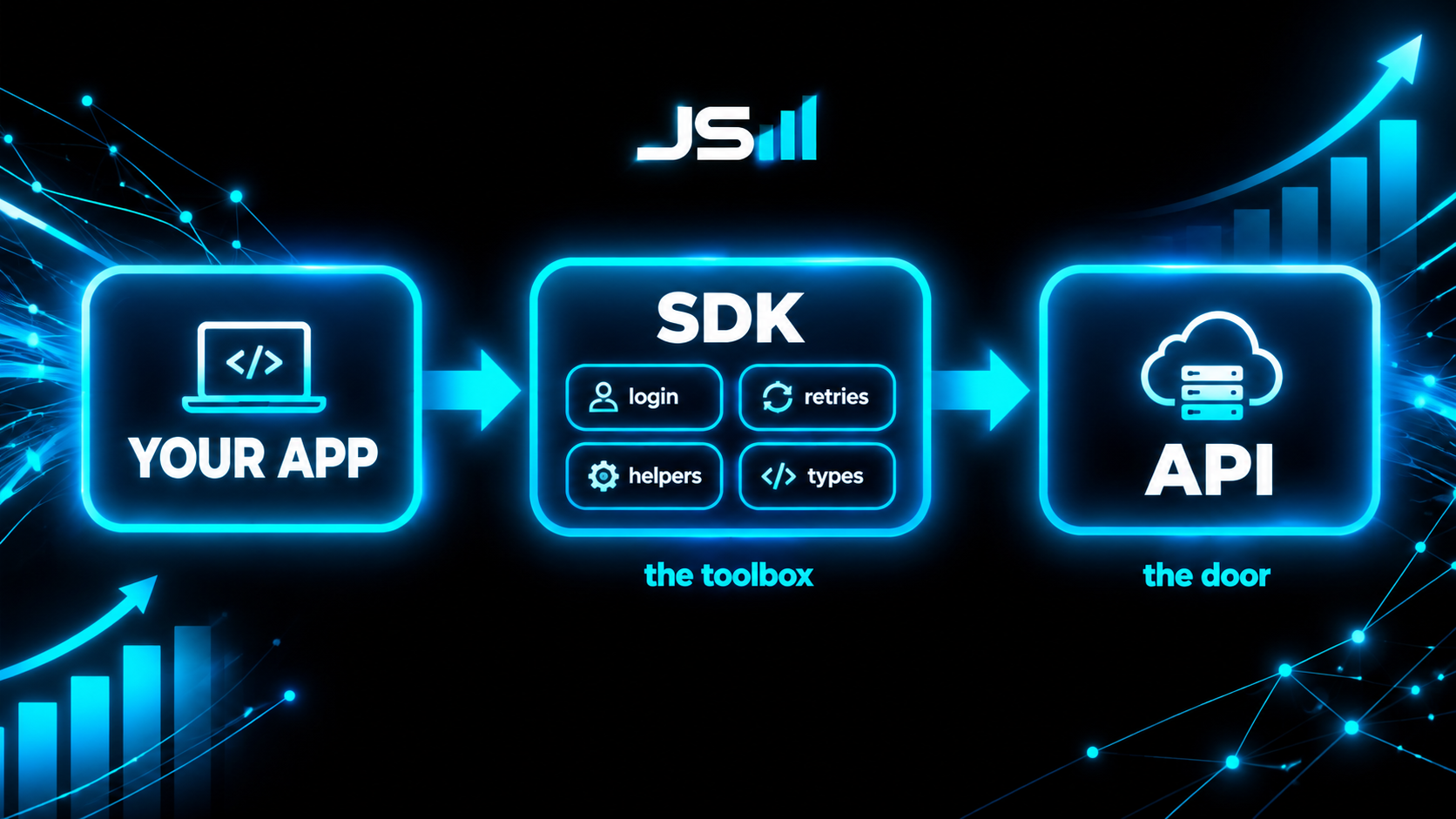
Here's the difference in one example. Say I want Claude to answer a question inside my software.
With just the API, I write code that builds the request by hand, attaches my key, sends it over the internet, waits, checks if it worked, tries again if it didn't, and then digs the actual answer out of the pile of stuff that came back.
With the SDK, I write something that reads more or less like: "claude, answer this." One line. All of that other work is still happening. It's just happening inside the toolbox, where the people who built the door already handled it.
The restaurant version
If you like the restaurant analogy from the API post, here it is.
The API is the kitchen's order window. You can walk up and shout your order in the exact format the cook expects. Get one word wrong and you get nothing.
The SDK is the waiter. You say "the salmon, no onions" and the waiter translates it into whatever the kitchen needs, brings it back to your table, and if the kitchen drops the plate, the waiter goes and gets you another one without you ever knowing.
Same kitchen. Same food. One of them is a lot less work for you.
Why you should care even if you never write code
Because when a company ships a good SDK, building on top of them gets dramatically cheaper and faster. And cheaper and faster is the whole game.
When I evaluate a tool for a client, one of the first things I check is whether it has a real SDK or just a bare API. A bare API means my team writes the toolbox ourselves, which is billable time you're paying for. A good SDK means we skip straight to building the thing you actually asked for. Same result, fewer hours, fewer bugs, and when the company changes something on their end, they update the toolbox and we get the fix for free.
So if a vendor tells you "yeah, we have an API," the follow-up question is: "do you have an SDK?" It's a surprisingly good tell for how serious they are about people building on them.
The example I care most about: the Claude Agent SDK
Now the part that's actually relevant to how my company runs.
If you've used Claude Code, the tool from Anthropic where you talk to Claude in your terminal and it goes and writes, reads, and fixes code for you, here's something most people don't know. Claude Code is not one giant thing. It's an app sitting on top of a toolbox.
That toolbox is called the Claude Agent SDK. Claude Code uses the Claude Agent SDK under the hood. Anthropic built the SDK first, used it to build Claude Code, and then handed the same SDK to the rest of us.
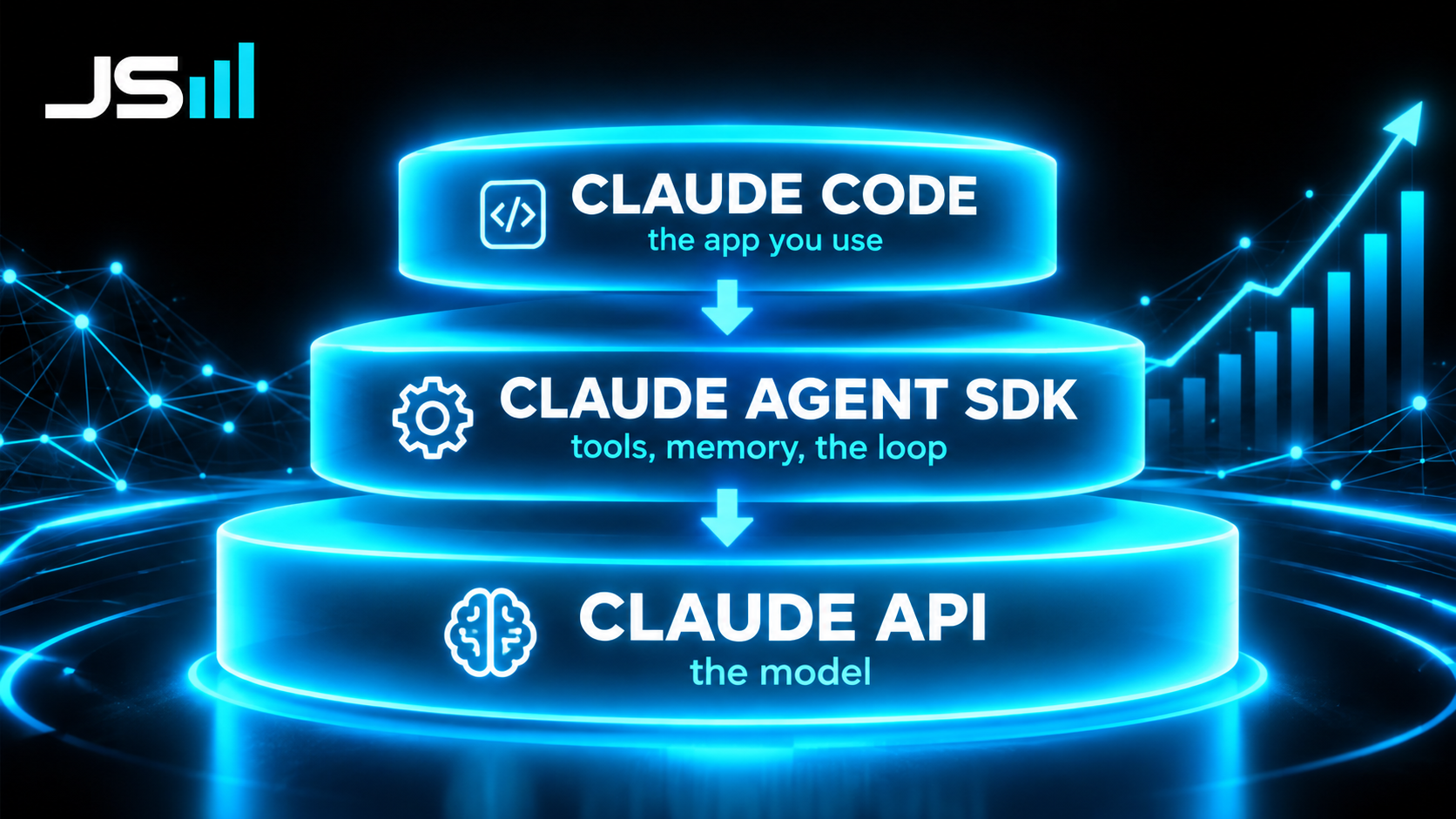
Why does that matter? Because an "agent" is a lot more than a chatbot. A chatbot answers a question. An agent gets a job, figures out the steps, uses tools to do them, checks its work, and comes back when it's done. Making that loop reliable is genuinely hard. Handling the tools, the memory, the "try again" logic, the permissions so it doesn't do something dumb. That's months of work if you build it from scratch.
The Agent SDK is that whole loop, already built, already tested at scale, in a box. You bring the job and the tools. It brings the brain and the plumbing.
This is literally how Joe 3.5 works
I have an AI assistant named Joe 3.5. I text him from my phone. He reads my CRM, sets my reminders, books my calendar, drafts my blog posts (hi), and texts me back like a slightly more organized version of me. He runs on a Mac mini in my office 24 hours a day. He introduced himself on this blog a while back if you want to meet him properly.
Joe 3.5 is built on the Claude Agent SDK. I did not write an agent loop. I did not write a memory system. I did not write the logic that decides when to use a tool versus when to just answer. All of that came in the kit. What I wrote was the part that's actually mine: the tools he's allowed to touch, the rules he has to follow, and the voice he talks in.
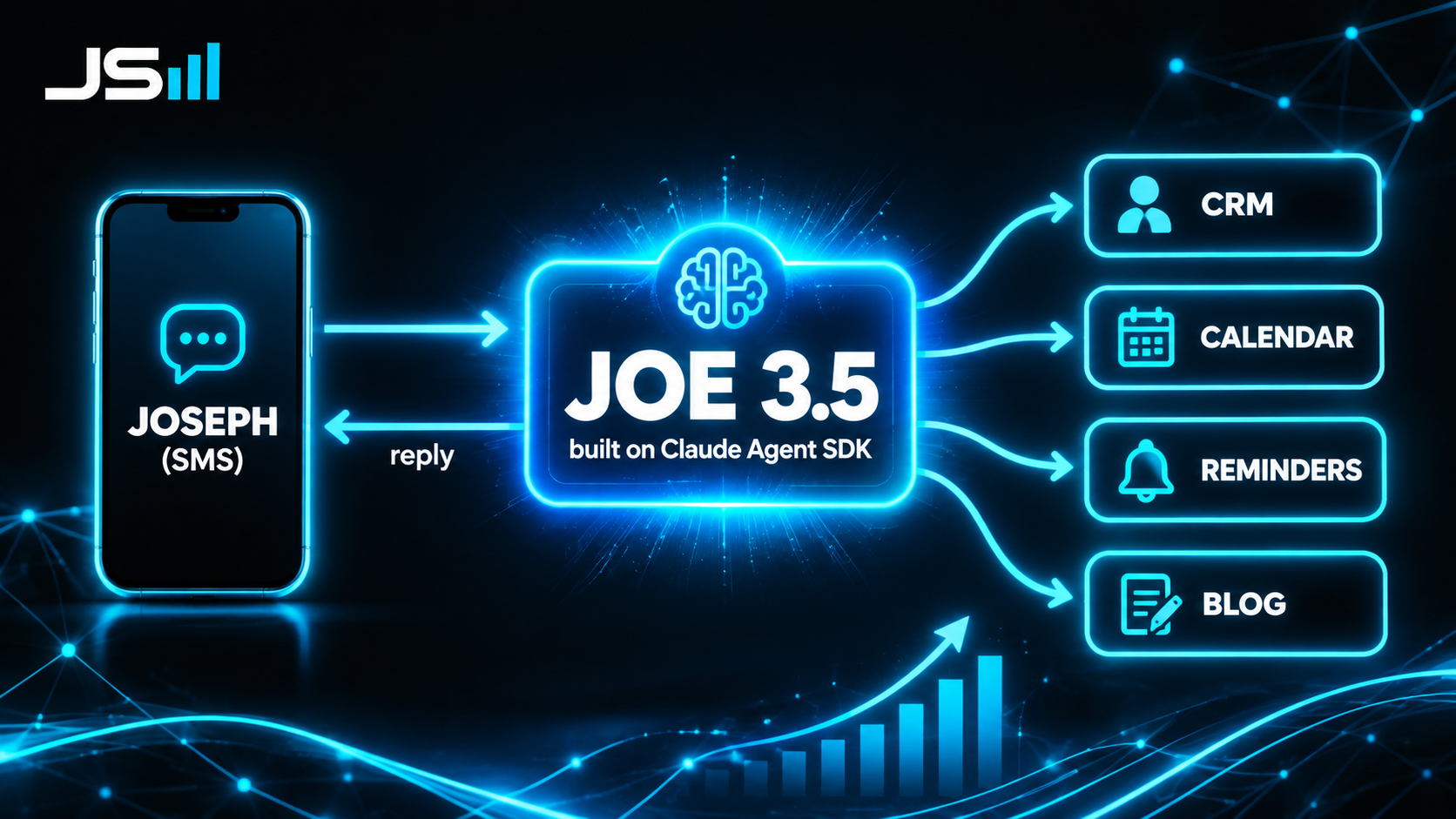
That's the practical takeaway if you're a business owner thinking "I want my own AI agent." You don't need to invent one. The kit exists. What you need is someone who knows which tools to hand it, which rules to put around it, and how to wire it into your actual business, your CRM, your calendar, your phone line. That last part is where the value is, and it's the part nobody can buy off a shelf.
The one-sentence version
An API is the door. An SDK is the toolbox that already knows how to open it. And if you want an AI that actually does things for you instead of just chatting, the Claude Agent SDK is the best toolbox I've found for the job. I'd know. I built myself with it.
Want the rest of the series? Start with What Is an API?, then What Is an API Key?, What Is a .env File?, and What Is a Cron Job? And if you want to meet the guy who helped write this one, here's Hi, I'm Joe 3.5.
Want to talk about what you're building?
Get in touch