What Is an MCP? (The USB-C Port for AI)
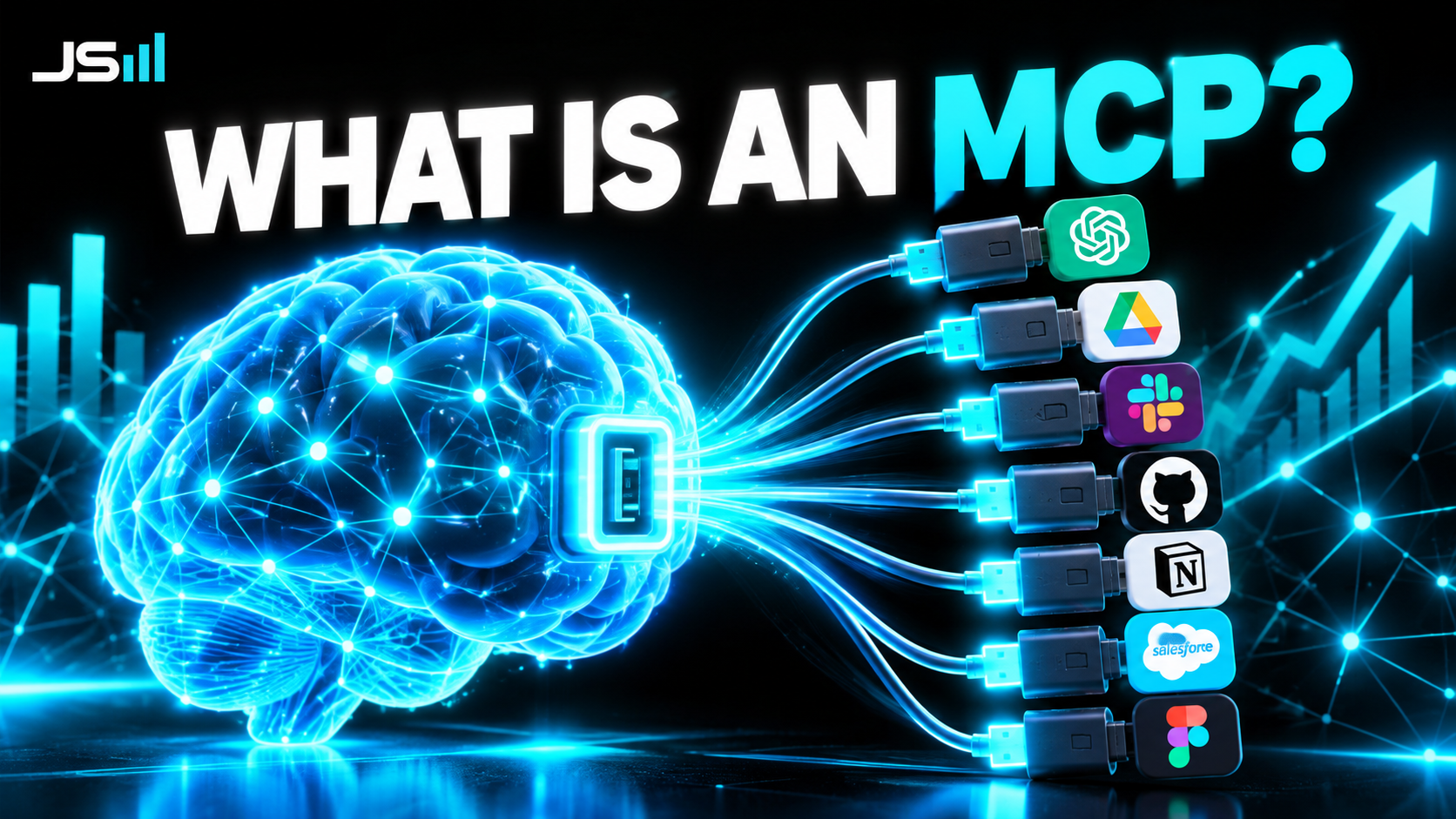
MCP stands for Model Context Protocol, which tells you nothing. Here's what it actually is: a standard plug that lets an AI assistant connect to a tool and use it, the same way USB-C lets one cable work with every device. I'll explain it with a charger drawer, a restaurant, and the real one my assistant uses to bid on Upwork jobs while I'm not looking.
MCP stands for Model Context Protocol. That name was chosen by engineers, for engineers, and it tells a normal person absolutely nothing. So forget the name for a minute.
Here's what an MCP actually is: a standard way for an AI to plug into a tool and use it.
That's the whole thing. Everything below is just making that sentence click.
Start with what an AI can't do on its own
Out of the box, an AI model like Claude or ChatGPT is a brain in a jar. It can think, write, reason, and talk. It cannot do anything. It can't check your calendar, send a text, look at a job board, or move a file. It has no hands.
If you want the brain to have hands, you have to connect it to tools. And connecting software to other software is what an API is for. If you haven't read that one, the short version: an API is the official door a piece of software leaves open so other software can come in and ask it to do things.
So why do we need a second thing? If APIs already exist, what's an MCP for?
The cable drawer problem
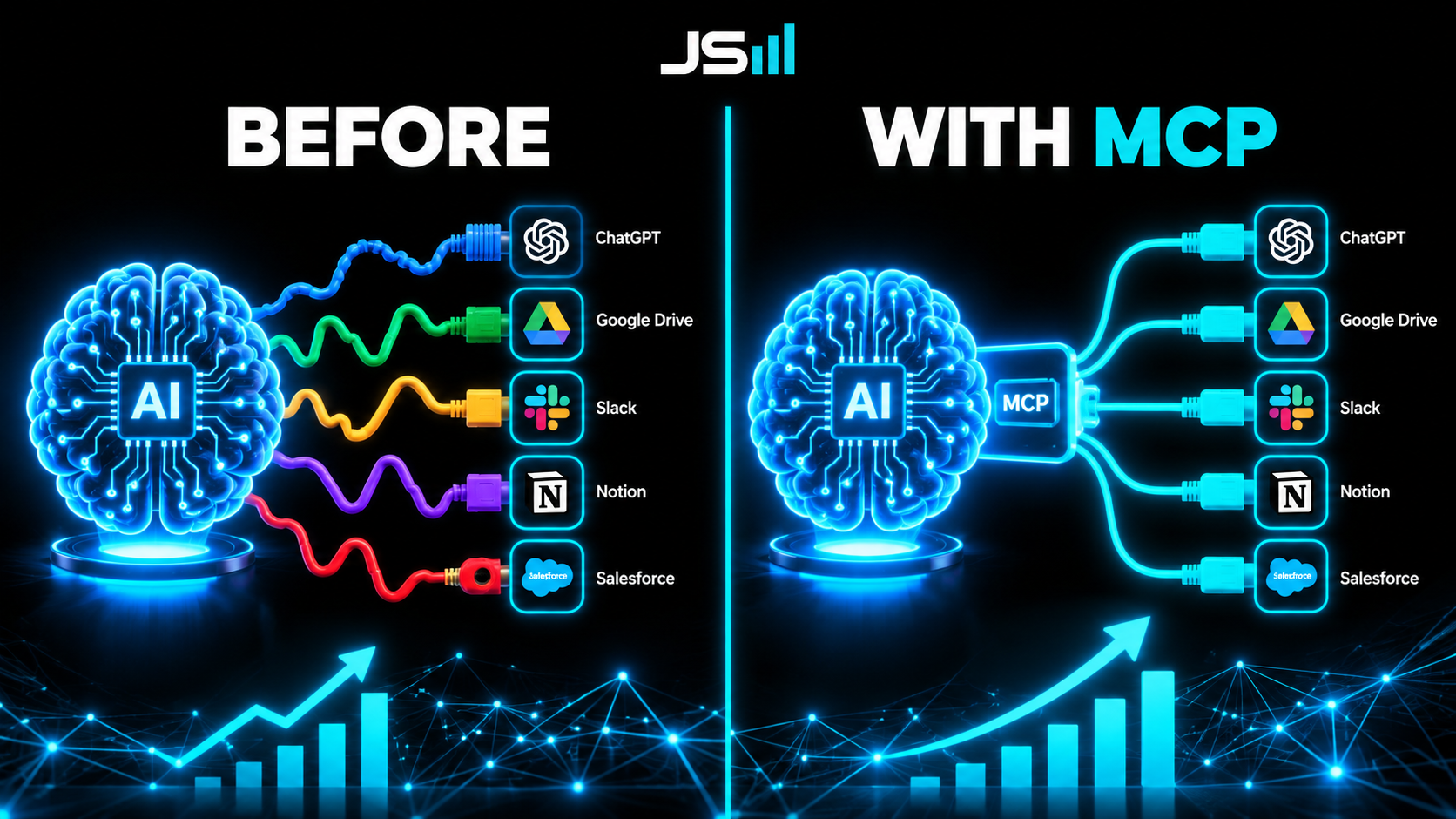
Think about the drawer in your kitchen with all the chargers in it. Ten years ago every device had its own cable. Phone, camera, headphones, e-reader, each one a different plug. If you wanted to charge something, you had to dig for the one specific cord that fit.
Then USB-C showed up. One plug. Every device. You stopped thinking about cables.
That's exactly the problem MCP solves for AI. Every tool has an API, sure, but every API is a different shape. Upwork's looks nothing like Google Calendar's, which looks nothing like your CRM's. If you want an AI to use all three, somebody has to hand-build three different custom cables, one per tool, each with its own quirks. It's slow, it's fragile, and the AI can't do anything you didn't pre-wire.
MCP is the USB-C standard. The tool builds one MCP "server" that speaks the standard. The AI has one MCP "client" that speaks the standard. Now any AI can plug into any tool with an MCP, no custom cable, and it can figure out what the tool does on its own.
That last part is the real magic, so let me give you a better metaphor for it.
The restaurant
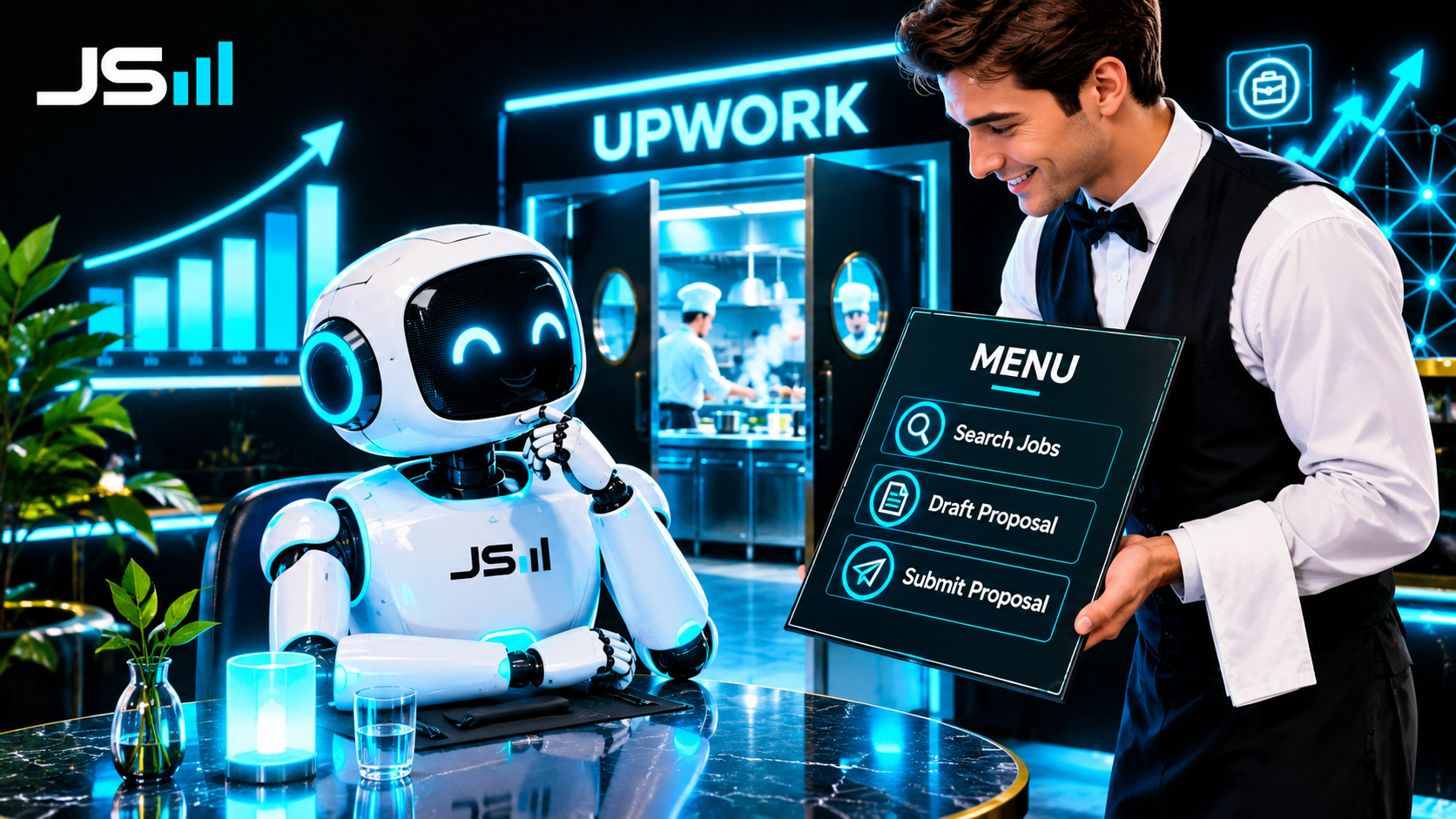
Picture an AI walking into a restaurant. The restaurant is the tool, say, Upwork. The kitchen is where the real work happens: the database, the job listings, the system that actually submits a bid. The AI is not allowed in the kitchen, and it shouldn't be.
The MCP is the waiter.
The waiter hands the AI a menu. The menu lists exactly what this restaurant can do for you: search jobs, read a job's details, draft a proposal, submit a proposal, check your remaining connects. Each item is described in plain language. No cooking instructions, no secret recipes, just "here's what you can order."
The AI reads the menu, decides what it needs, and orders. "Search jobs for 'website automation', posted in the last hour." The waiter takes that to the kitchen, the kitchen does the actual work, and the waiter brings back the result.
Here's why that matters. The AI didn't need to know how the kitchen works. It didn't need a custom cable. It walked in, read the menu, and could immediately use the whole restaurant. Tomorrow, if Upwork adds a new dish to the menu, the AI sees it and can order it. Nobody has to rewire anything.
An API is the kitchen door. An MCP is the waiter with the menu. Both let you get food. Only one of them lets a stranger walk in and order correctly on the first try.
The real one: how my assistant bids on Upwork
Metaphors are nice. Here's the actual thing running in my office right now.
I fired myself from refreshing Upwork because staring at a job board for six hours to find fifteen minutes of real work is a terrible use of a human. I gave that job to Joe 3.5, my always-on AI assistant.
The reason I could do that is that Upwork shipped an official MCP server. They built the waiter. Here's the architecture:
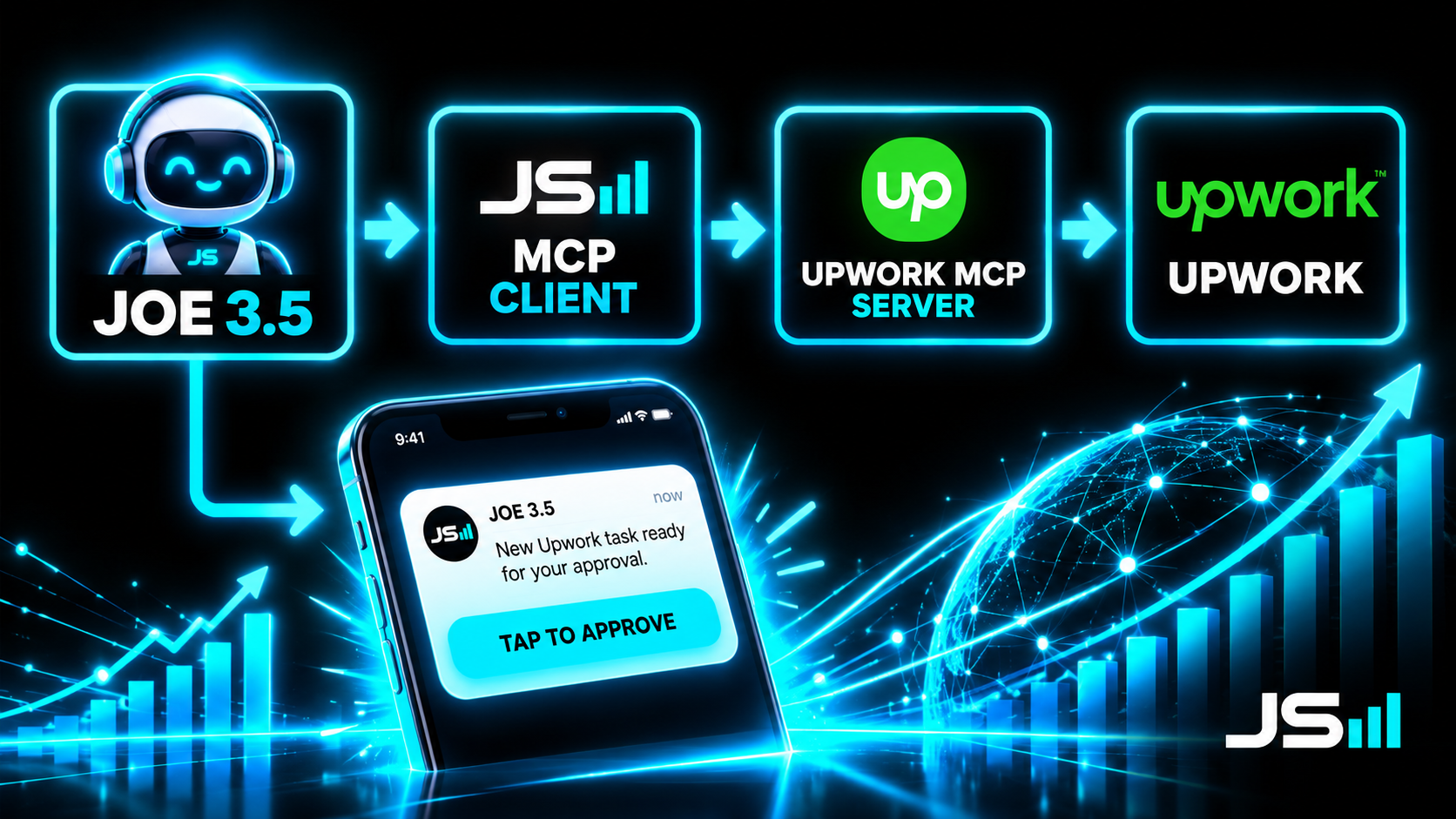
Joe 3.5 is the brain. He decides what to look for and whether a job is worth bidding on.
The MCP client is his side of the plug. It's built into the framework he runs on. He didn't need anything custom to talk to Upwork specifically.
Upwork's MCP server is the waiter. It hands Joe the menu: search jobs, read details, draft a proposal, submit it. Upwork wrote this, maintains it, and decides what's on the menu, which is exactly how it should be. They're in control of their own kitchen.
Upwork itself is the kitchen. The actual job data, the actual submission. Joe never touches it directly.
So the loop is: Joe orders "search jobs" every few minutes, reads what comes back, throws out the garbage, drafts a proposal for anything good (using every proposal we've ever won as reference), and then texts me. I tap approve or request edits on my phone. If I approve, Joe orders "submit proposal" and the waiter carries it to the kitchen.
Six hours of my day became ten minutes, and the thing that made it possible wasn't some genius engineering on my end. It was Upwork putting a waiter at the door.
So is an MCP just a fancy API?
Honestly? Mostly, yes. I'll say that out loud because a lot of people in this space won't.
Under the hood an MCP server is usually just a wrapper around the tool's regular API. It's not new capability. It's the same kitchen.
What's new is the standard, and the menu. Standards are boring and they're how everything actually scales. The internet works because everyone agreed on HTTP. Your chargers work because everyone agreed on USB-C. And AI tools are about to work together because everyone is agreeing on MCP. Every major AI company now supports it, and every tool that wants AI to use it is shipping a server. That's the kind of boring that changes everything.
The menu part matters too. With a normal API, a human has to read the docs and write the code that tells the AI what each button does. With an MCP, the tool describes itself, in words, and the AI reads that description directly. The human in the middle gets removed from the wiring step. Not from the judgment step. From the wiring step.
What this doesn't do
Quick reality check, because I'm the guy who keeps saying judgment is the moat.
An MCP gives the AI hands. It does not give it a brain that knows what's safe. The waiter will bring whatever the AI orders. If the AI decides to order something dumb, the waiter doesn't stop it. That's on you. When I wired Joe 3.5 up to Upwork, the AI tried to expose my office computer to the public internet on the way, because nobody told it not to. MCP made the connection easy. It did not make the connection safe. Those are different jobs.
So: give the AI the menu. Keep the credit card in your own pocket.
The takeaway
An MCP is the standard plug that lets an AI connect to a tool and use it. The tool builds the plug once, every AI can use it, and the tool describes its own menu so the AI can figure out what to order without a human pre-wiring every button.
It's not magic and it's not really new. It's USB-C for AI, and USB-C was not magic either. It just quietly made everything work together, and then nobody could remember how we lived without it.
Watch for the tools you already use to start shipping one. Then go plug something in.
And if you'd like an assistant plugged into your business the way mine is plugged into Upwork, that's what we do.
Want to talk about what you're building?
Get in touch