What Is an Authenticator App? (How That Six-Digit Code Actually Works)
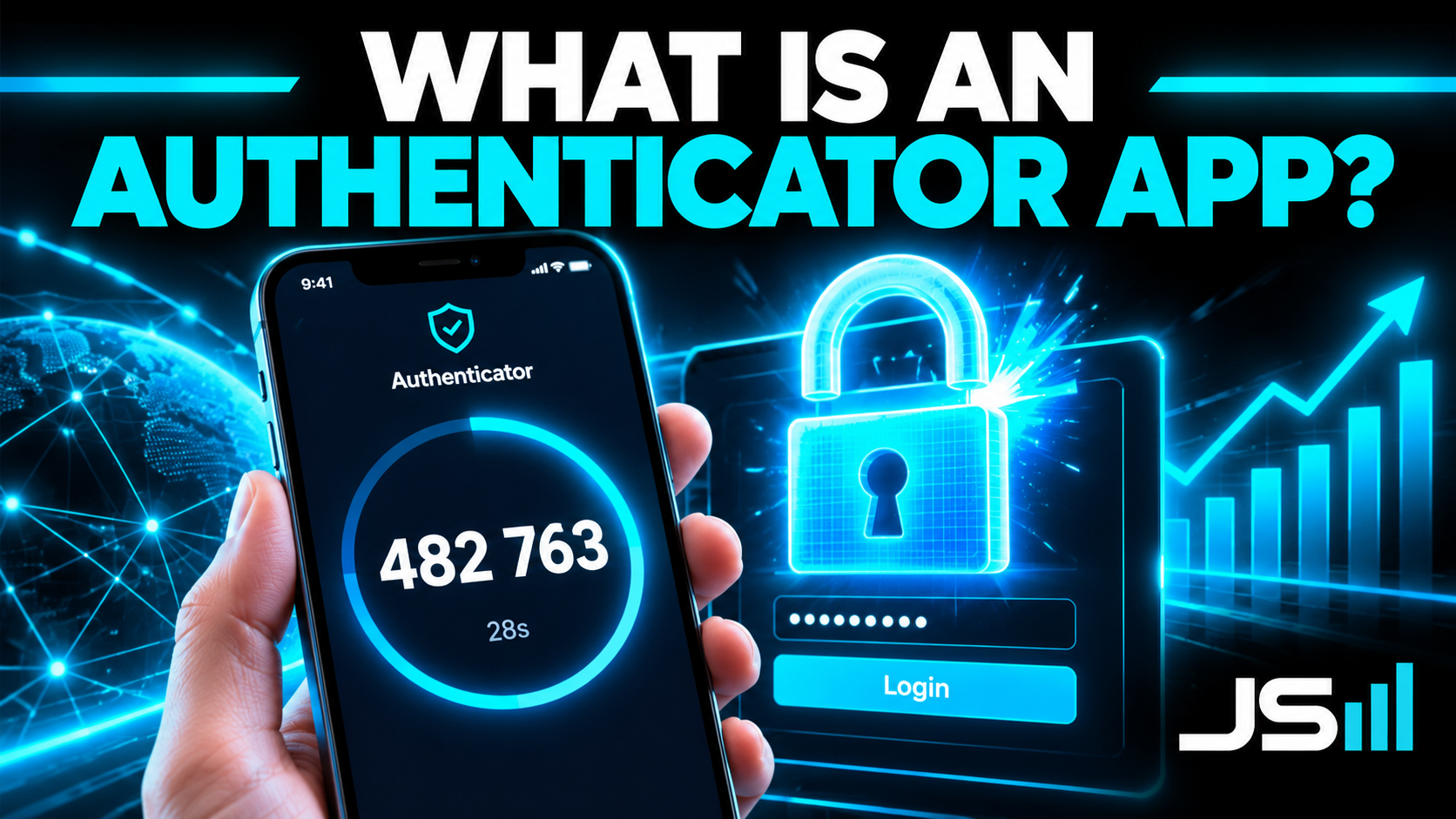
Next in my series on the parts of a software application: the authenticator app. What that six-digit code actually is, why your phone and the server get the same number without ever talking, how Microsoft's "approve" button works differently, why texted codes are a SIM swap away from useless, and how to build the backend right.
Next in my series on the parts of a software application. We've done APIs, API keys, .env files, cron jobs, and MCPs. Today: the little app on your phone that shows a six-digit number and a draining circle. Microsoft Authenticator, Google Authenticator, Authy, whichever one your bank made you install. What it actually does, why it's so much better than a text message, and how the backend is built.
The short version
An authenticator app proves you have your phone. That's it. Your password proves you know something. The app proves you hold something. An attacker on the other side of the world might steal your password from a data breach, but they can't hold your phone, so they can't get in.
The clever part is how the app proves it. It never talks to the server. No network, no account, no sync. It just does a bit of math that only your phone and the server can both do, and if the answers match, you're in.
Step one: the handshake you did once
Remember when you set it up? A website showed you a QR code, you scanned it, and the app started showing numbers. That QR code was the whole secret.
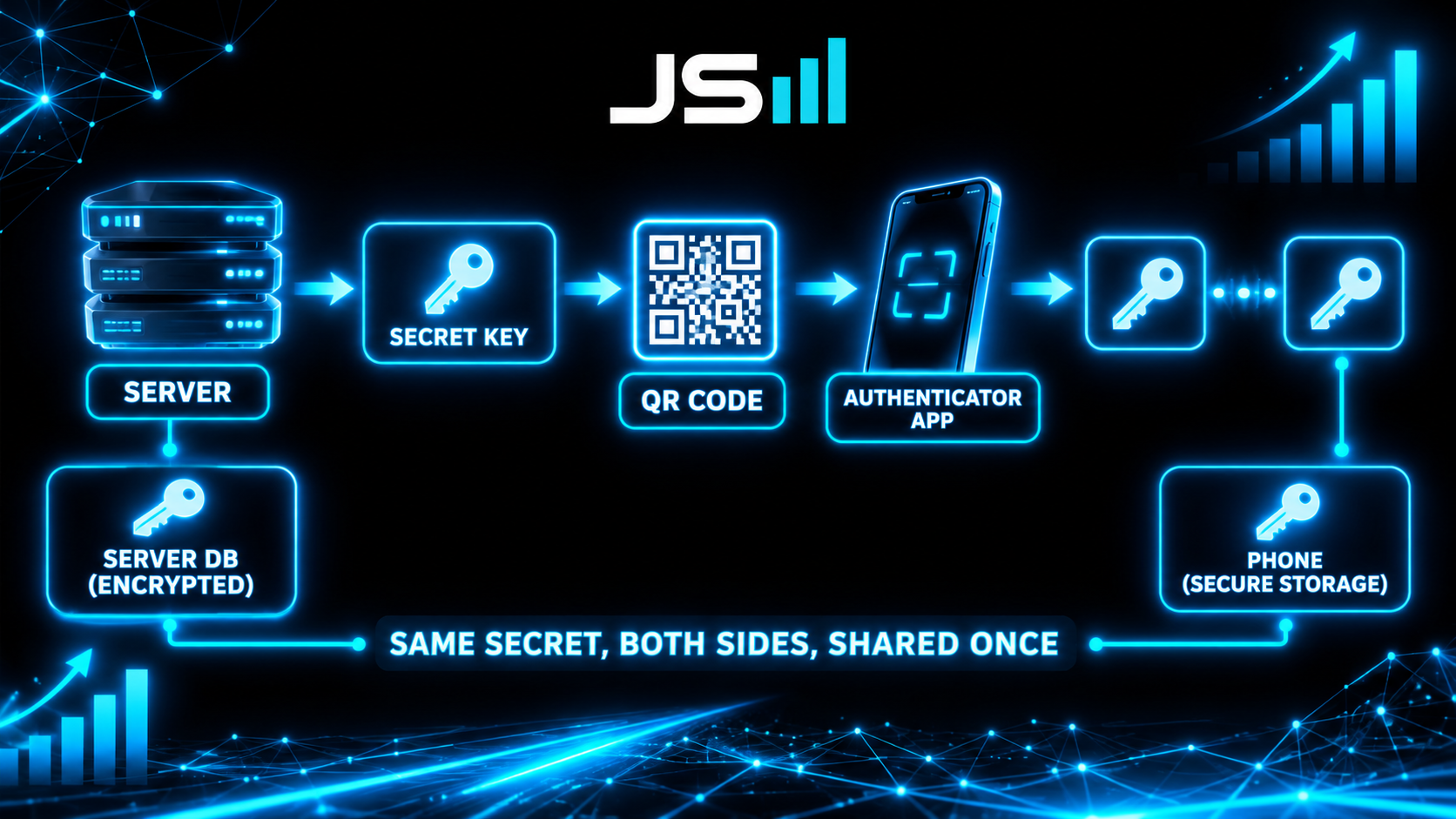
Inside that QR code is a long random string, the shared secret. The server generated it, saved a copy in its database, and handed you one copy through the QR code. Your phone stored it in secure hardware. Now both sides hold the same secret, and the secret never travels again. Not over the internet, not in a text, nowhere. That's why the setup is the one moment that matters: scan it on your real phone, never screenshot it, never share it.
Step two: the math both sides do every 30 seconds
Here's the trick that makes the whole thing work with no network.
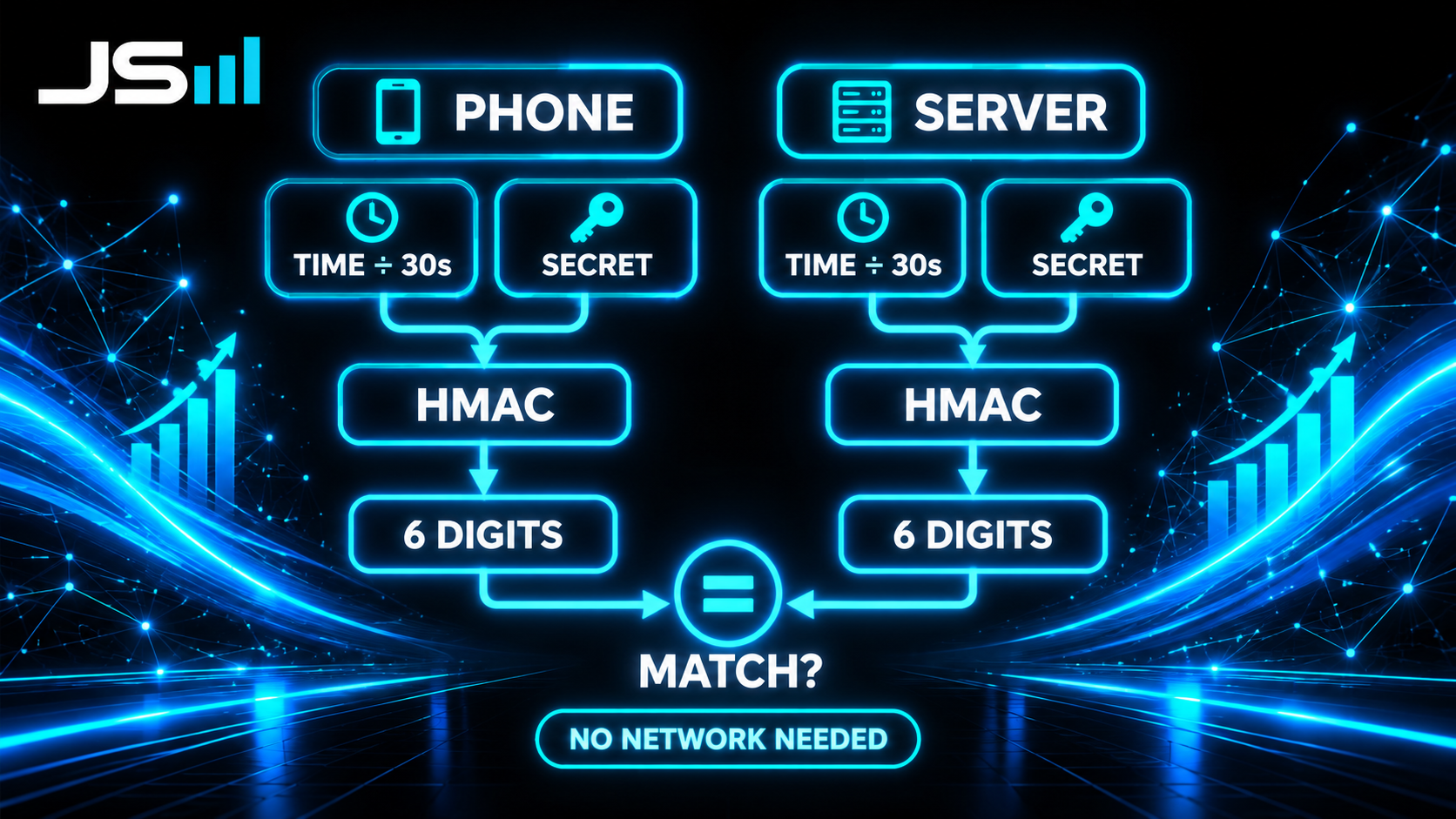
Both your phone and the server take two things: the shared secret, and the current time, chopped into 30-second blocks. They run those through a one-way math function called an HMAC, which is a cousin of the hashing that protects passwords. Out comes a big number, and they keep the last six digits. That's your code.
Because both sides have the same secret and the same clock, they get the same six digits. Every 30 seconds the time block changes, so the answer changes. When you type the code in, the server runs the same calculation and checks if yours matches. It does, you're in.
This is called TOTP, time-based one-time password, and it's an open standard. That's why Google's app, Microsoft's app, and a dozen others all work with the same QR code: they're all doing the identical math. No company owns it.
A few things fall out of this that are worth knowing:
- It works in airplane mode. The phone isn't fetching anything. It's computing.
- The code is useless after 30 seconds. Even if someone shoulder-surfs it, it expires before they can use it, and a good server refuses to accept the same code twice.
- Six digits is enough. A million possibilities, a 30-second window, and a server that locks you out after a few wrong tries. The math doesn't need to be longer.
- It's one-way. Seeing a hundred codes tells you nothing about the secret. You can't work backward.
The push version: Microsoft Authenticator's "approve" button
Microsoft's app does the six-digit thing, but you've probably also seen the other mode: your phone buzzes, shows "Approve sign-in?" and sometimes asks you to tap the number that's on your screen. That's a different mechanism, and a stronger one.
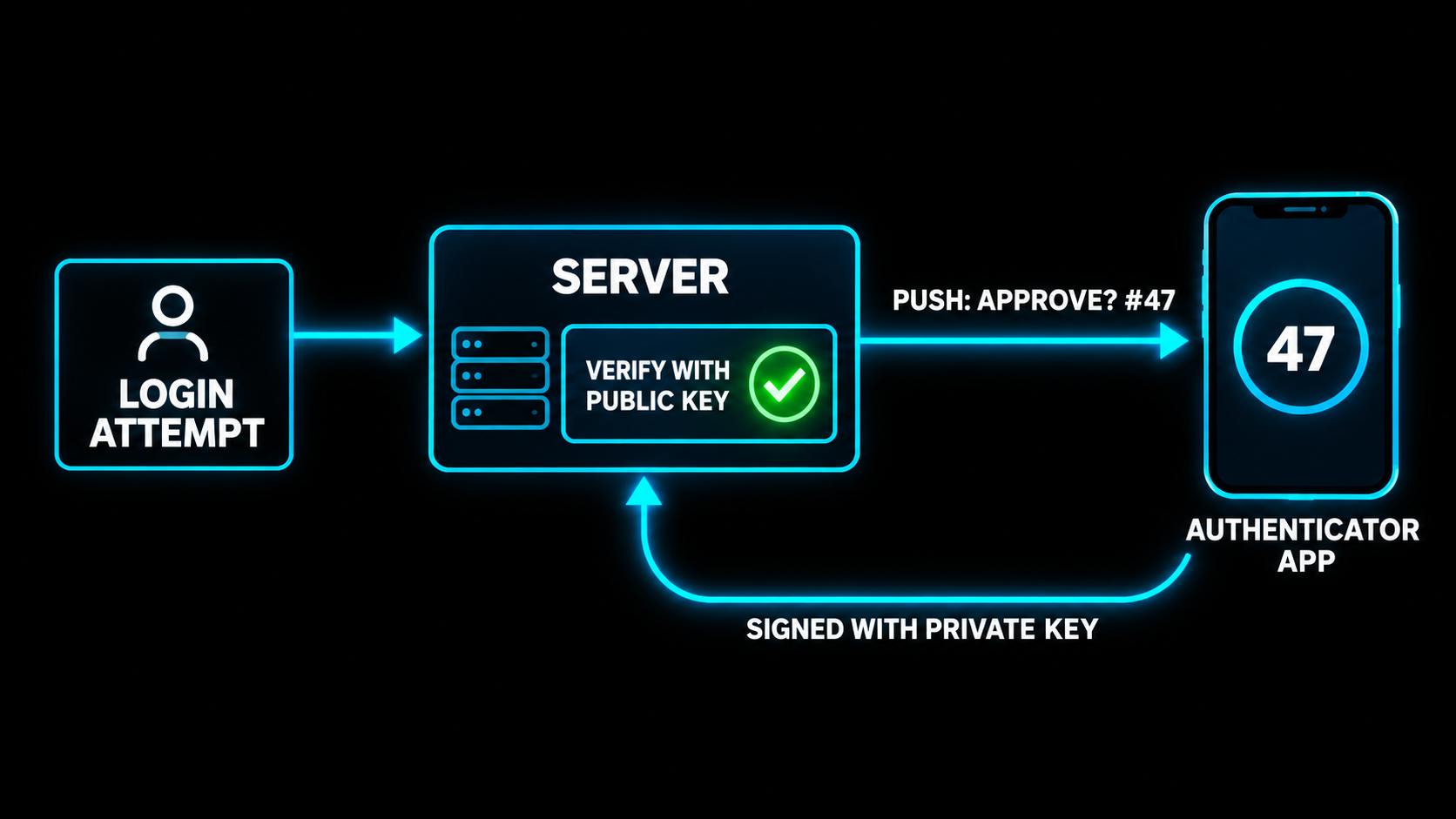
When you enrolled, the app generated a key pair on your phone: a private key that never leaves the device, and a public key it handed to Microsoft. When you log in, the server sends a push notification with a challenge, including that number you have to match. You tap approve, the phone signs the challenge with its private key, and the server checks the signature with the public key it kept.
The number matching is there for one reason: attackers used to spam people with approve requests at 3am until someone tapped yes to make it stop. Making you type the number from the login screen means you have to actually be looking at the login, not just swatting a notification.
This is the same public-key idea behind passkeys, which are where all of this is headed. Same design, with the password removed entirely.
Why not just text me the code?
Because your phone number is not secure, and it's not even yours in the way you think.
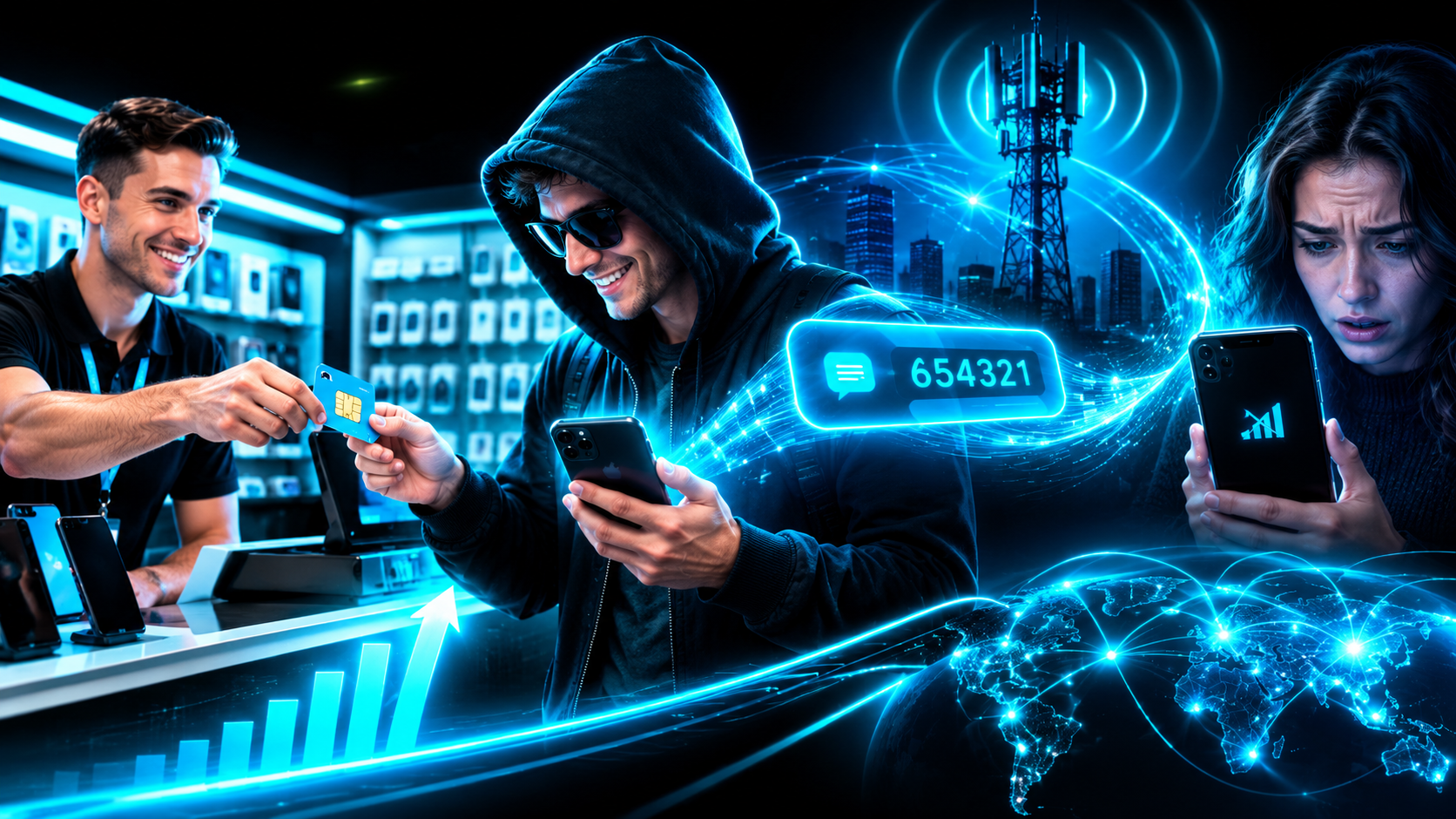
SMS codes rely on the phone company delivering a text to the right handset. A scammer who convinces a carrier rep that they're you, or bribes one, gets your number moved to their SIM. Your phone goes dead, theirs lights up, and every "we texted you a code" login in your life is now theirs. It's called a SIM swap and it has drained a lot of crypto wallets.
An authenticator app doesn't care about your phone number. The secret lives in the device, not the account. Moving the number does nothing. That's the entire reason banks keep nagging you to switch.
How the backend is actually built
If you're building this into your own app, here's the shape. It's smaller than people expect, and the security is in the details around it, not the math itself.
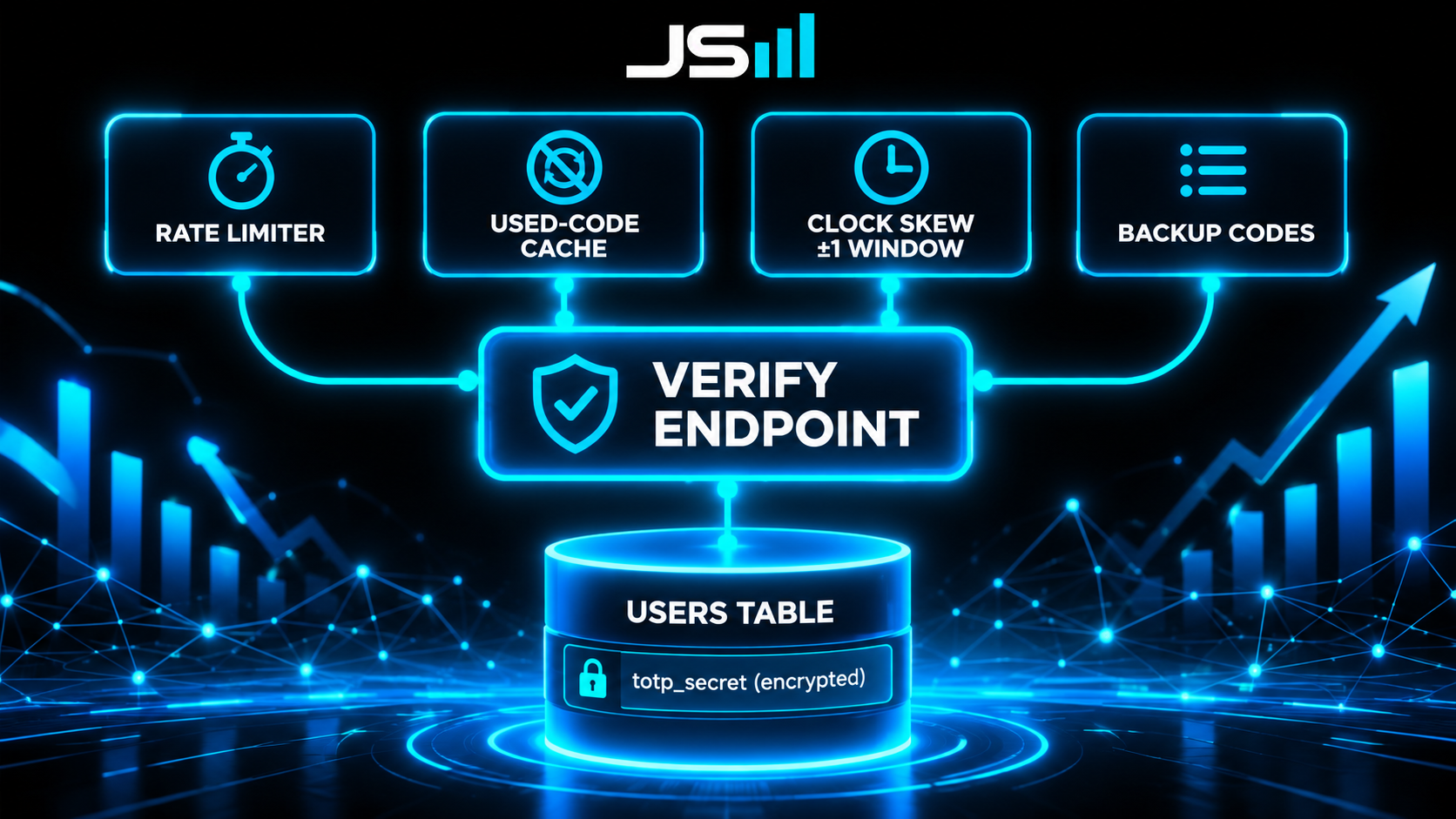
Storage. One column on the user, the TOTP secret, encrypted at rest. If your database leaks, an encrypted secret is useless. A plaintext one hands the attacker every user's second factor at once. This is the single most common mistake I see.
Enrollment endpoint. Generate a random secret, encode it into the QR code, show it once, and don't save it as "active" until the user types a correct code back. Otherwise you lock people out of accounts they never finished setting up.
Verify endpoint. Take the six digits, compute the expected code for the current 30-second window, and compare. Also compute the window before and after, because phone clocks drift a little. One step of tolerance each way, no more.
Rate limiting. A million possible codes means an attacker gets in by guessing fast. Five wrong attempts, lock for fifteen minutes. This is what makes six digits enough.
Replay protection. Once a code is accepted, remember it for its window and refuse it again. A code is one-time or it isn't.
Backup codes. Phones get lost. Generate ten single-use recovery codes at enrollment, hash them like passwords, and tell the user to print them. The recovery path is where most "secure" systems quietly become insecure, usually through a support agent who's just trying to be helpful.
In our stack that's a Postgres table with row level security, an encrypted column, two API routes, and a small cache. A day of work if you've done it before, and none of it needs a third-party service. You own the whole thing.
The takeaway
An authenticator app proves you're holding your phone. It does that by sharing a secret once, then doing the same math on both ends every 30 seconds, no network required. The push version goes further and has your phone sign a challenge with a key that never leaves the device. Both are miles ahead of a text message, because a text goes to a phone number and a phone number can be stolen with a phone call.
Simple idea, fifty lines of real code, and the reason your bank account is still yours. Another piece of the puzzle down.
Want this built right into your app?
Auth, two-factor, passkeys, the recovery path nobody thinks about. We build it in from day one at HyppoAI.
Want to talk about what you're building?
Get in touch